Export Expenses to MYOB
Prerequisites
- ✓You have uploaded expenses in the Expenses section
- ✓You have a MYOB account
- ✓You have access to the Reports page
Outcome
- Export your expenses in a format ready for immediate upload.
- Automate bookkeeping and avoid spreadsheet mistakes.
Steps
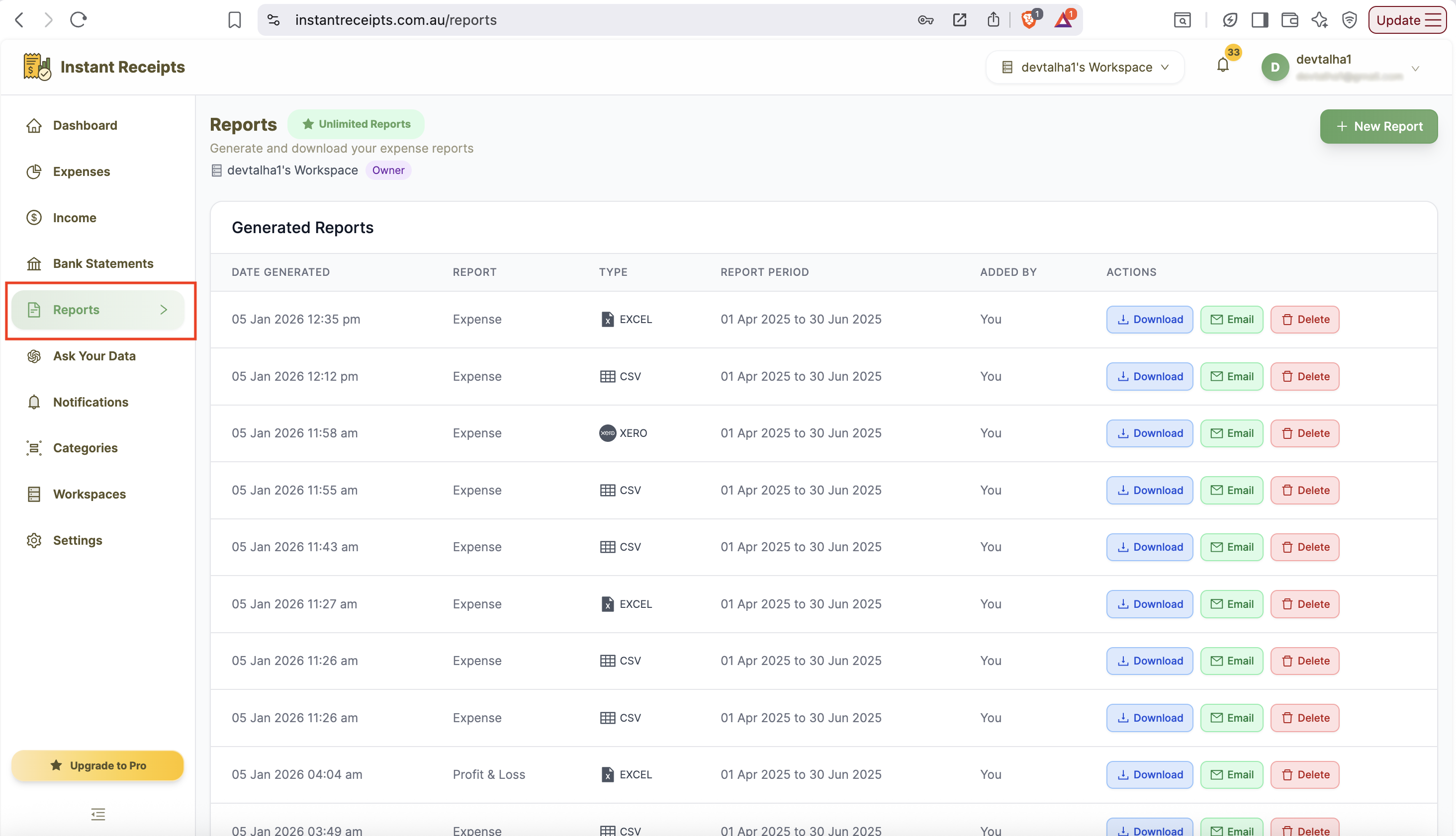
Navigate to Reports
Start by navigating to the report page. For this, go to your dashboard and click on reports. You will find this in the main navigation section. When the report page opens, you will see four tabs. These will include: Expense Reports Bank Statement Reports Income Reports Tax & Compliance.
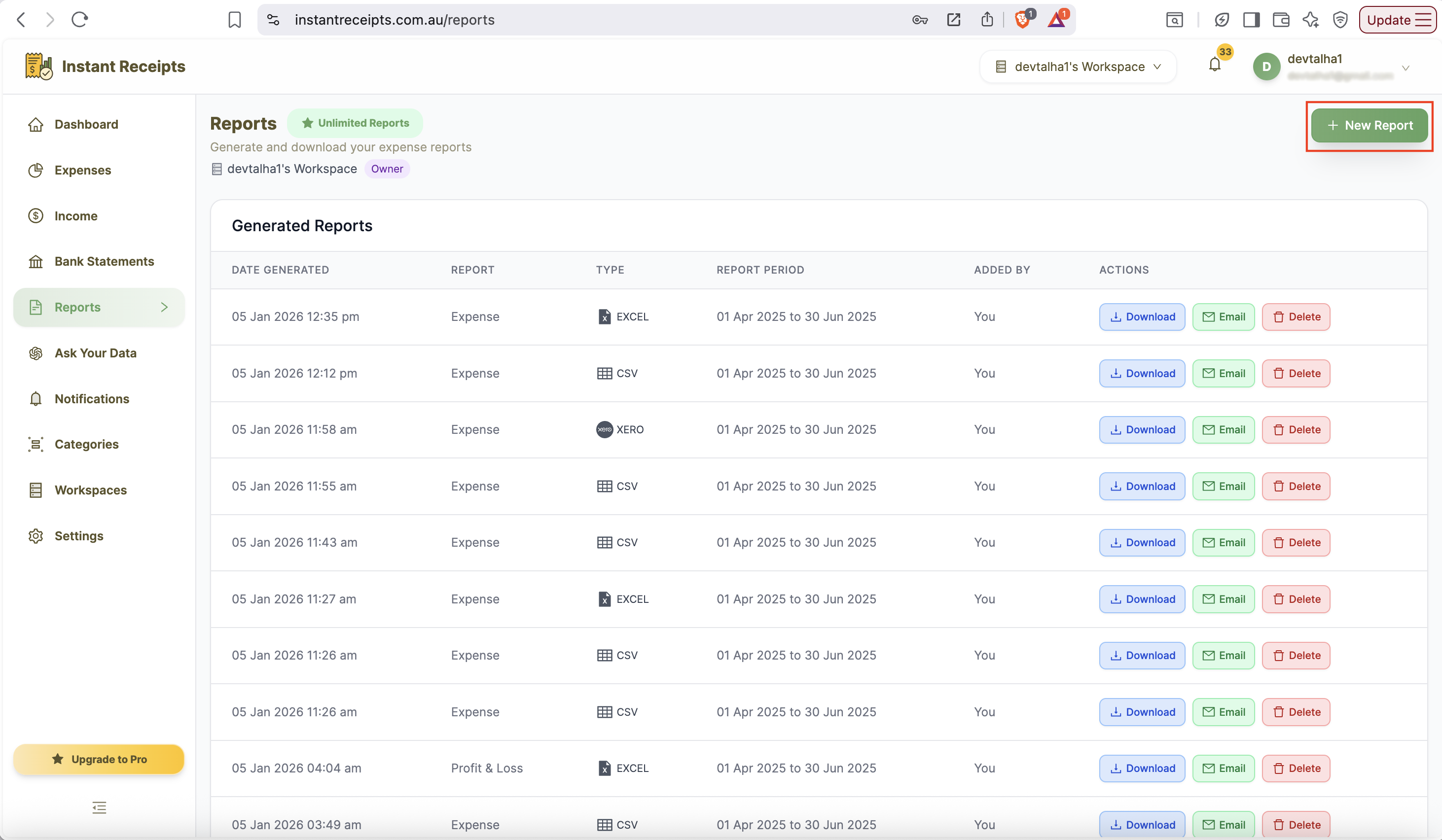
Click New Report
Now you will find a green button for new reports on the top right corner of this page. You can click on this to start creating a new report. After clicking on this button, a new report generation panel will appear. It will show all available options for customisation of your export.
Select Your Date Range
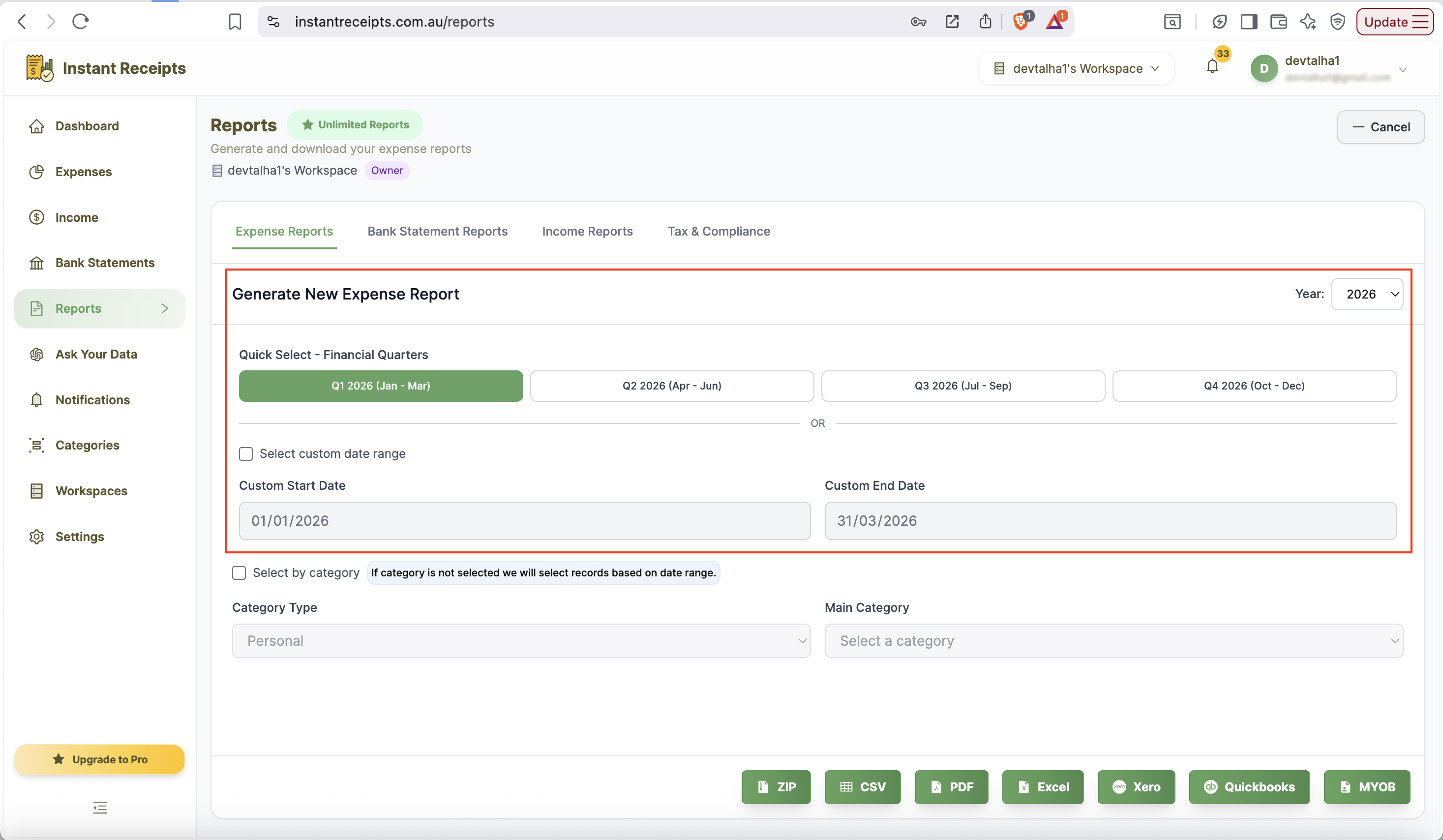
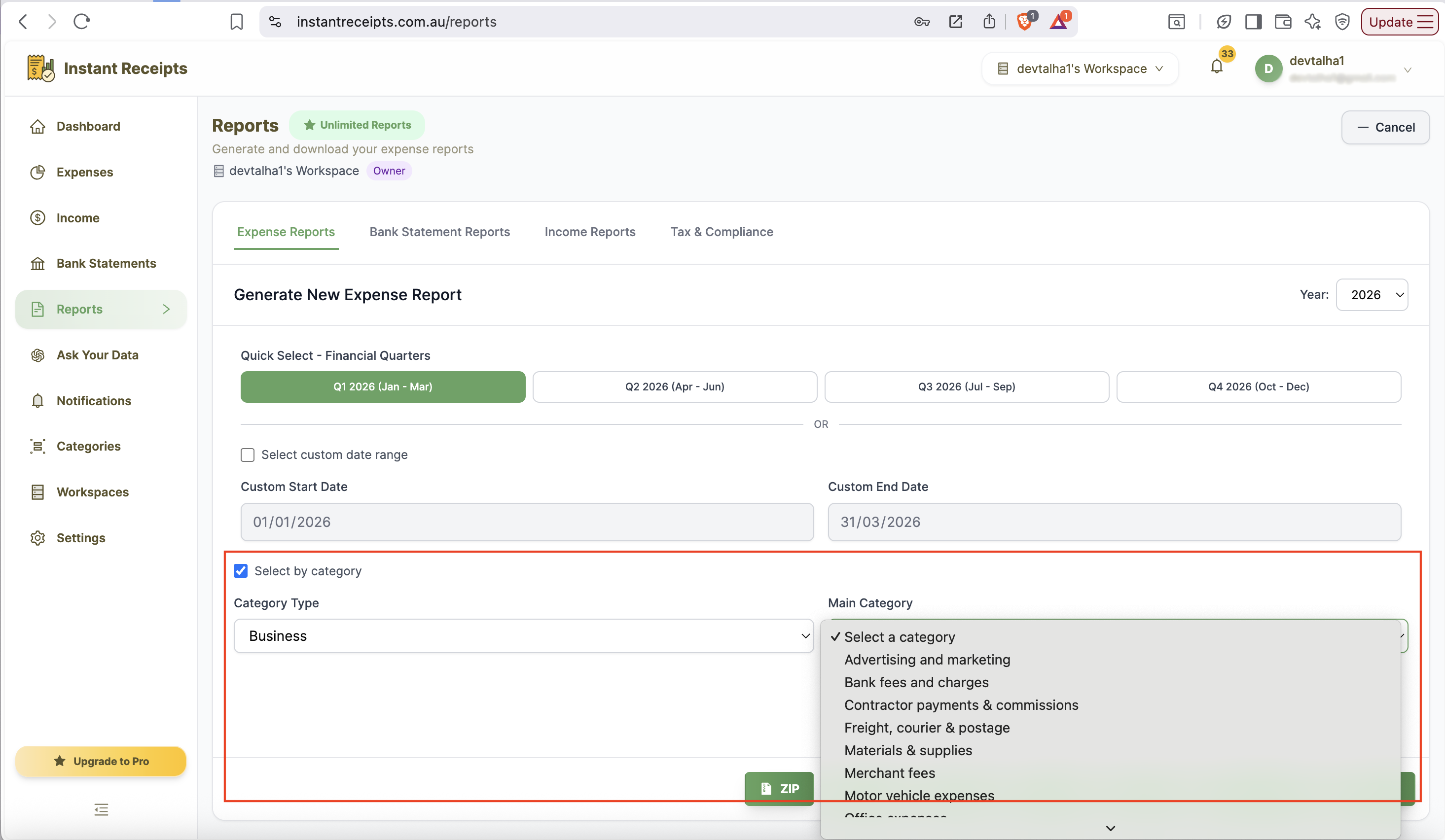
From this new panel, you can select the date range for which you need to export your expenses. There are two ways for this: the first one is Quick Select financial quarters (Q1-Q4). Secondly, you can enter a custom date range manually. If you don't select either, all existing expense records will be included.
Filter by Category (Optional)
Another incredible feature that you can find here is that you can apply a filter. You can select your expense type from the category section, either personal or business. When you select the specific date range and category on those expenses in that duration and category will export.
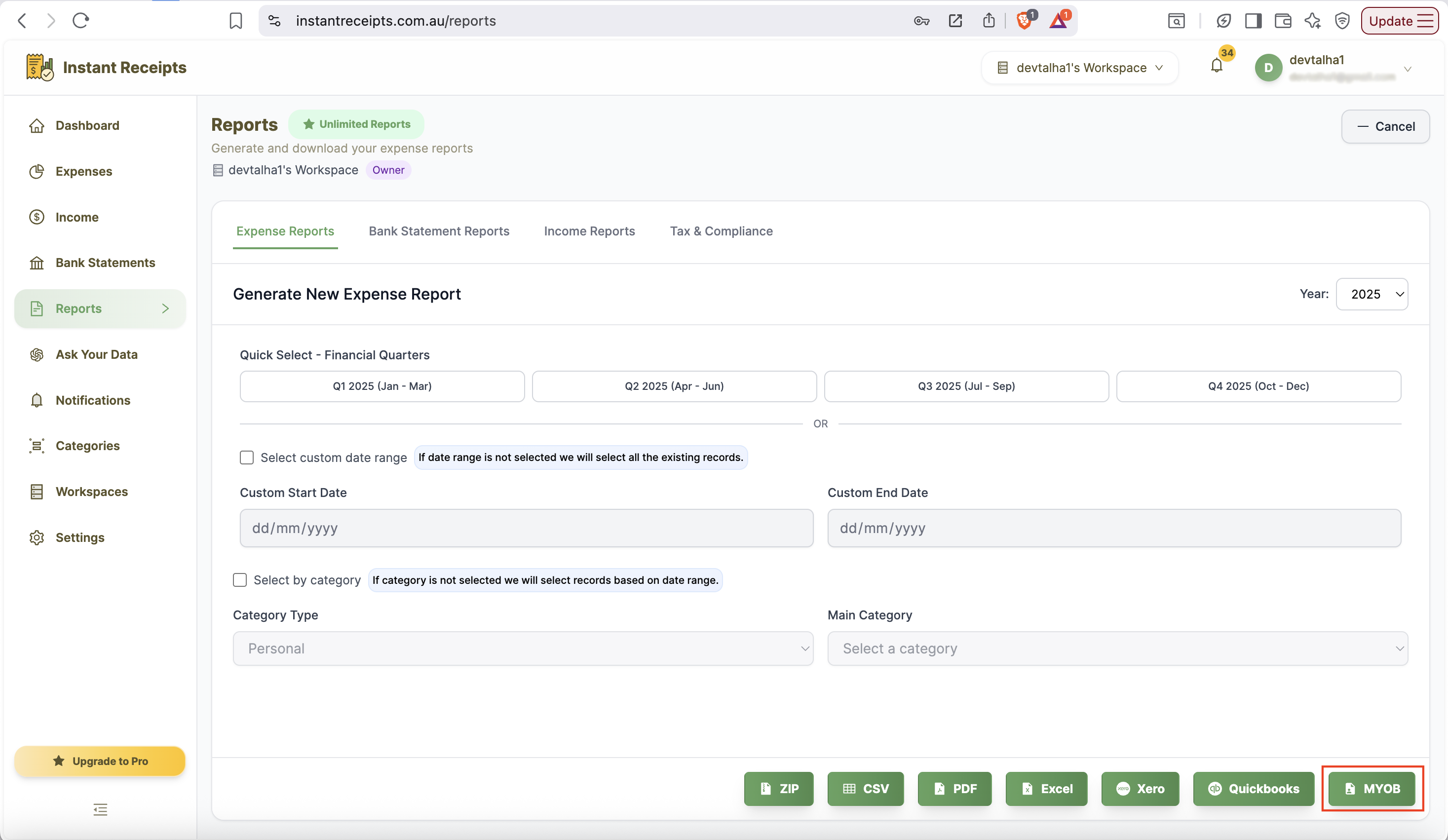
Click MYOB Button
In the expense report panel, after completing all required fields,d please find the MYOB format at the bottom. Click on MYOB format.
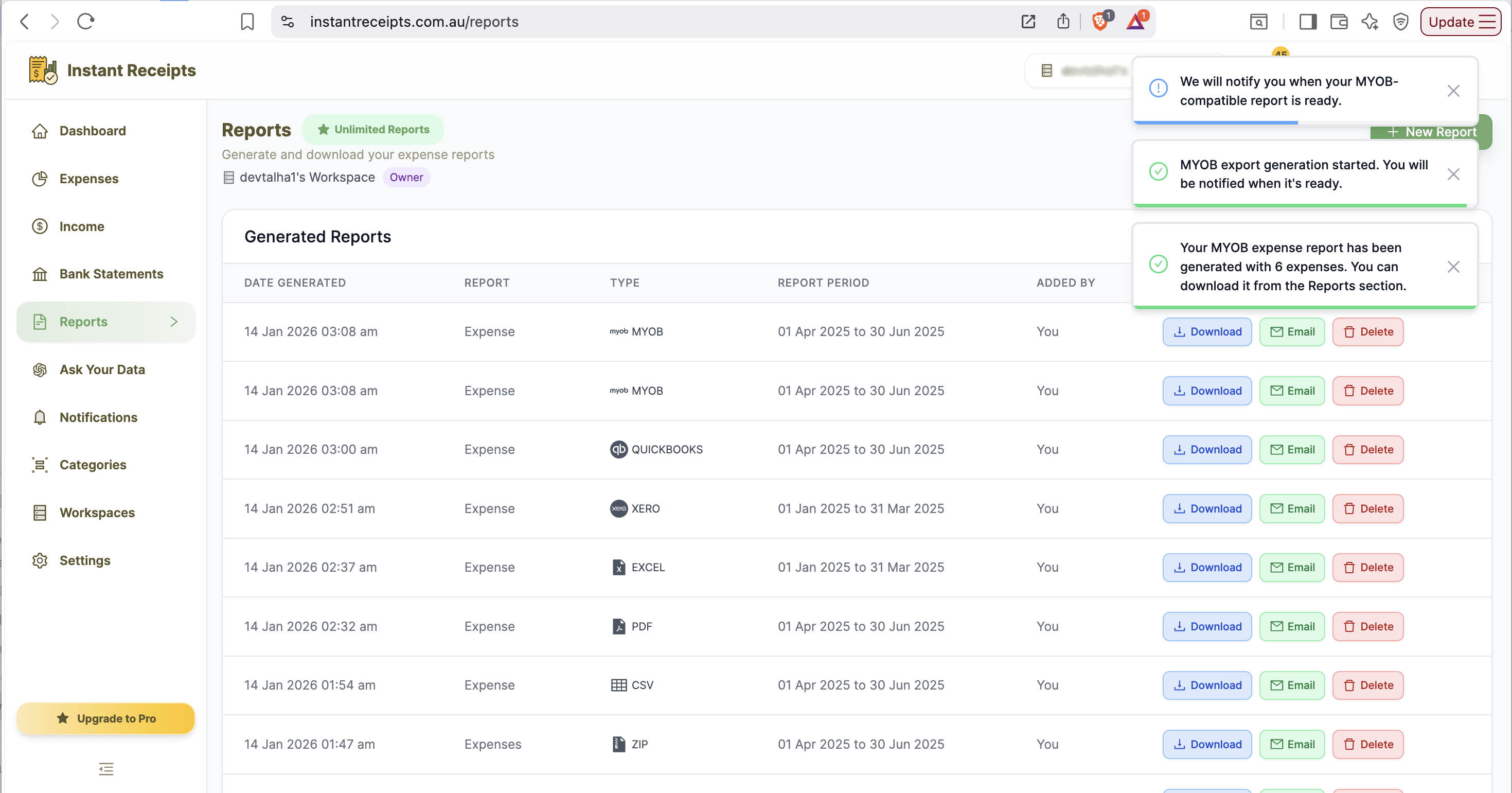
Import into MYOB
Now you can download the file and import it directly into your MYOB account.
Troubleshooting
Import fails in MYOB
If you see the notification "import fail in MYOB", you need to check that your expense categories match your MYOB chart of accounts. If the format is not recognised or you are unable to import the expenses, please contact MYOB's support team and address the issue.
Amounts are incorrect after import
If the expense amounts appear to be incorrect after you imported your data, you may have set different currency settings in MYOB than in Instant Receipts. To resolve this, please verify that your currency settings match between Instant Receipts and MYOB.
Some expenses didn't import
If all your expenses haven't been imported into MYOB, kindly check the import log in MYOB for errors. Some expenses may have missing required fields.
Need more details?
See How to Import Expenses for the complete workflow and all available options.