How to Delete Your Account
10/11/2026
Reading time 1 minute
beginner
You can permanently delete your Instant Receipts account and all associated data directly from the app. This action is irreversible.
Prerequisites
- ✓You have an account on Instant Receipts
Outcome
- Your account and all associated data will be permanently deleted
- Receipts, expenses, reports, and workspace data are removed. Connected bank accounts are disconnected and their synced data is deleted
- Some data may be retained in backups for up to 30 days before permanent deletion
Steps
1
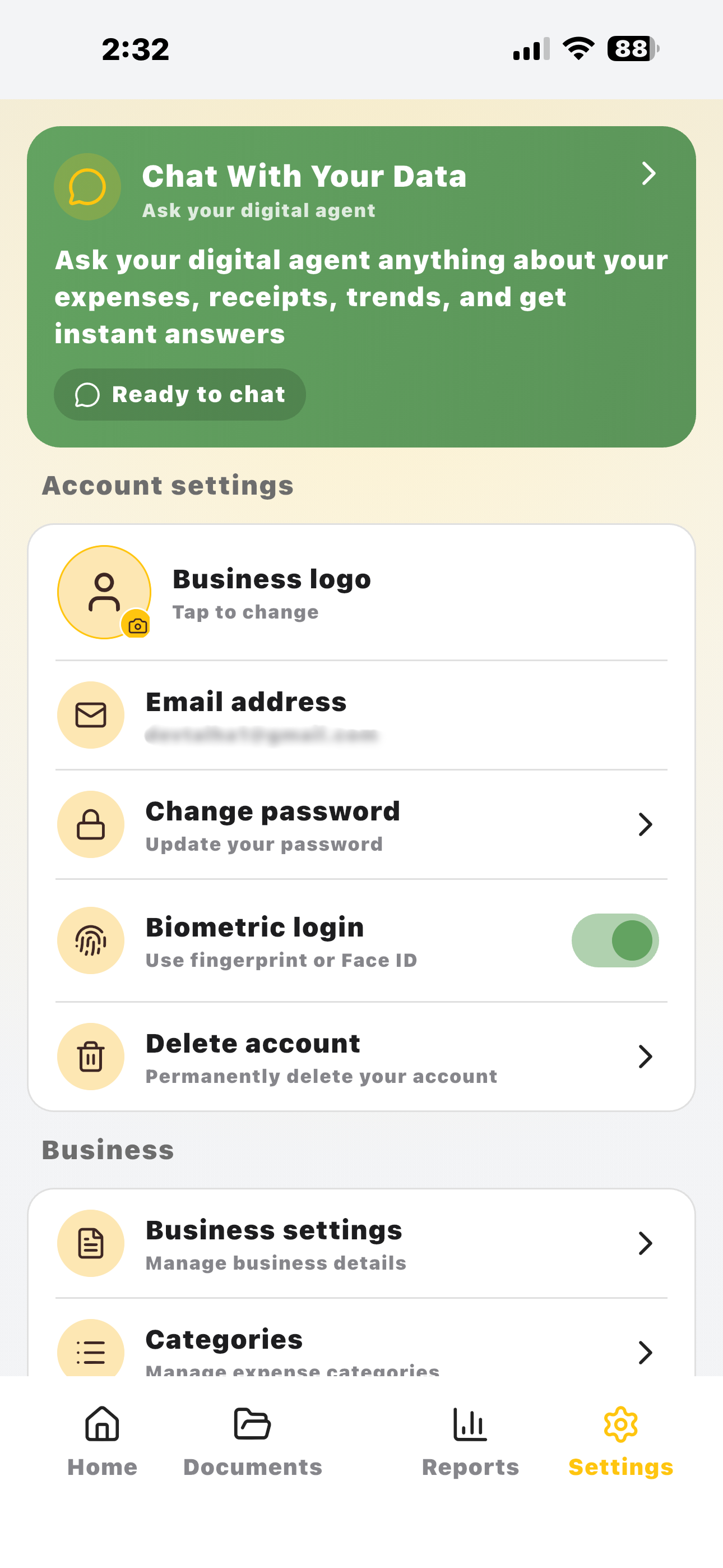
Open Settings
Open the Instant Receipts app and tap the Settings icon in the bottom navigation bar.
2
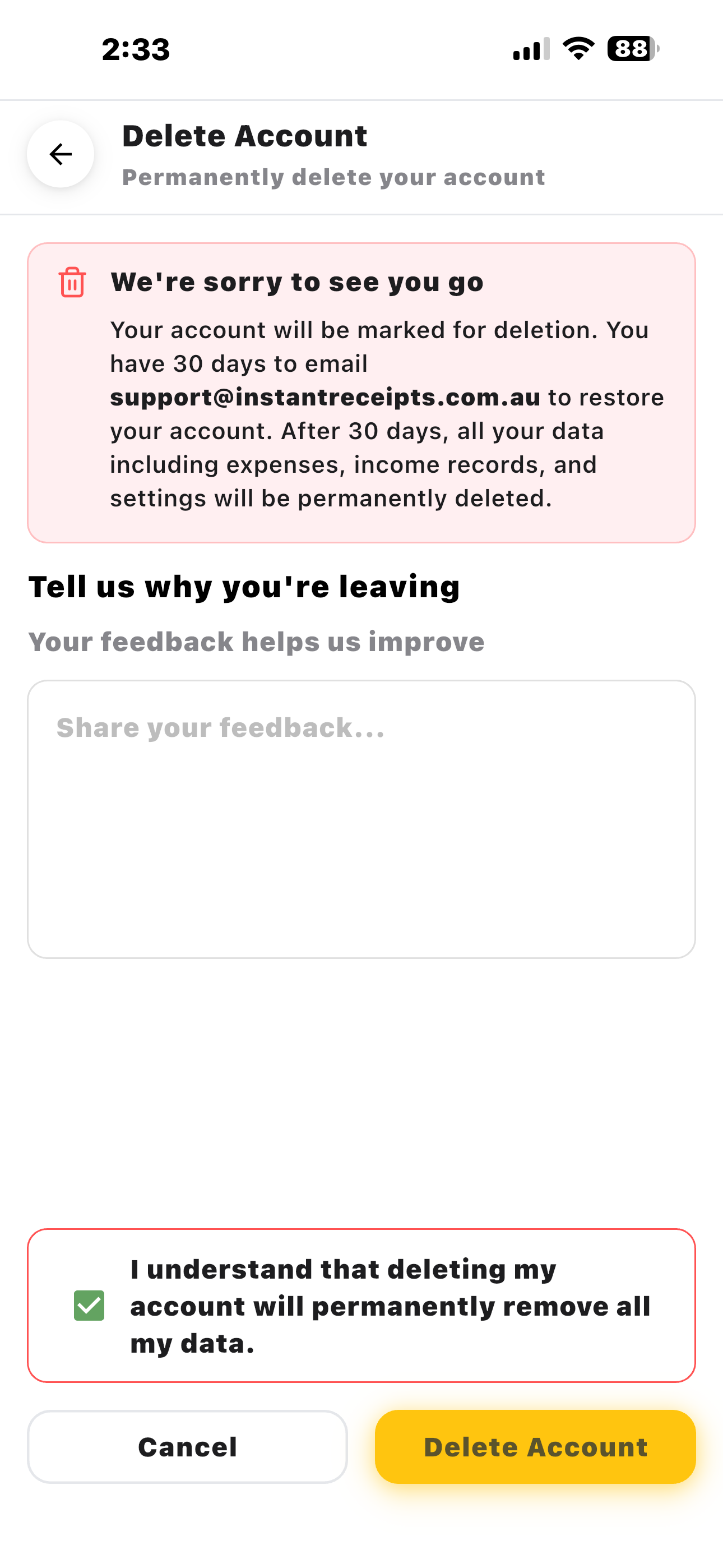
Tap Delete Account
Scroll to the bottom of the Settings screen and tap 'Delete Account'.
3
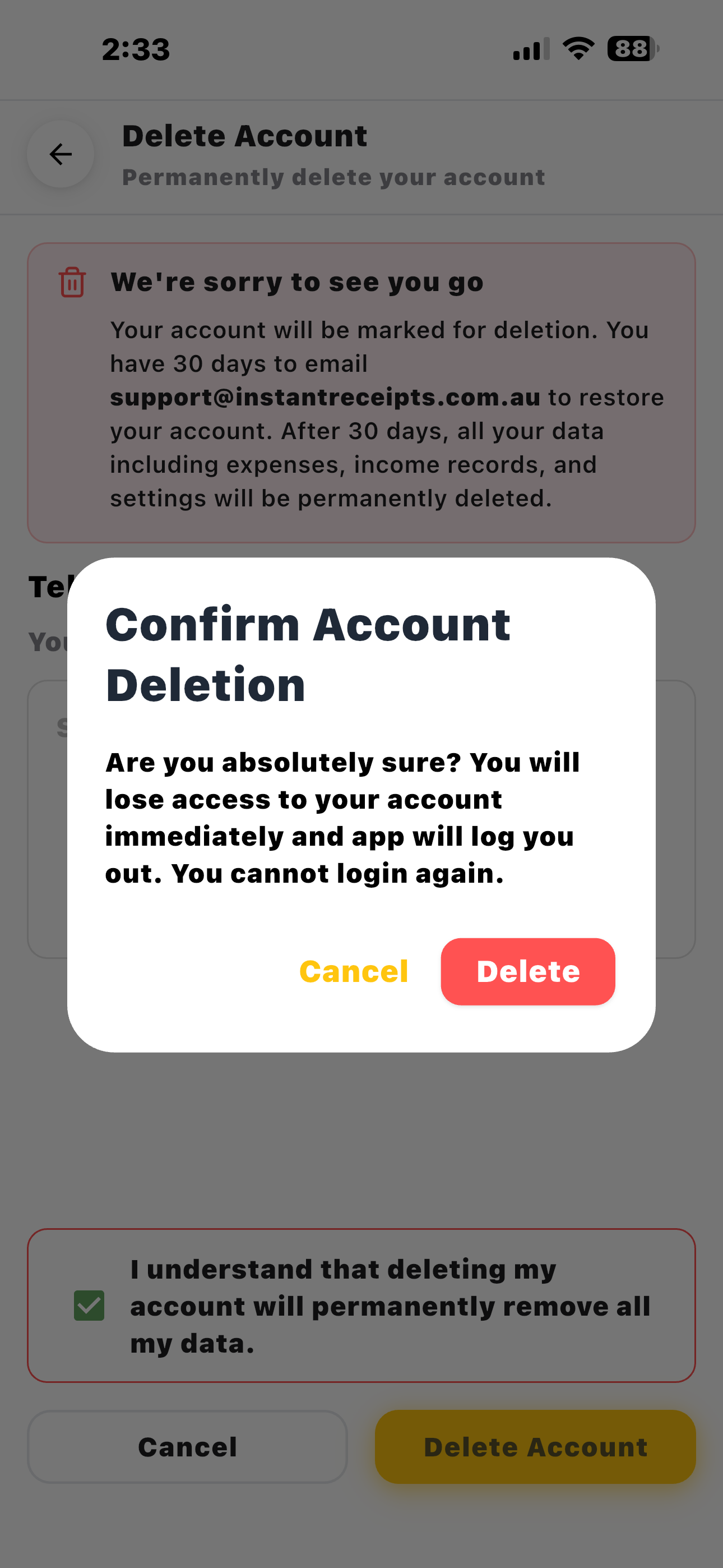
Confirm Deletion
Read the confirmation message and tap 'Confirm' to permanently delete your account and all associated data.