

Generate Balance Sheet Report as PDF
Prerequisites
- ✓You have recorded expenses and income in the system
- ✓You have access to the Reports page
Outcome
- A snapshot of assets, liabilities, and equity as of a chosen date
Steps
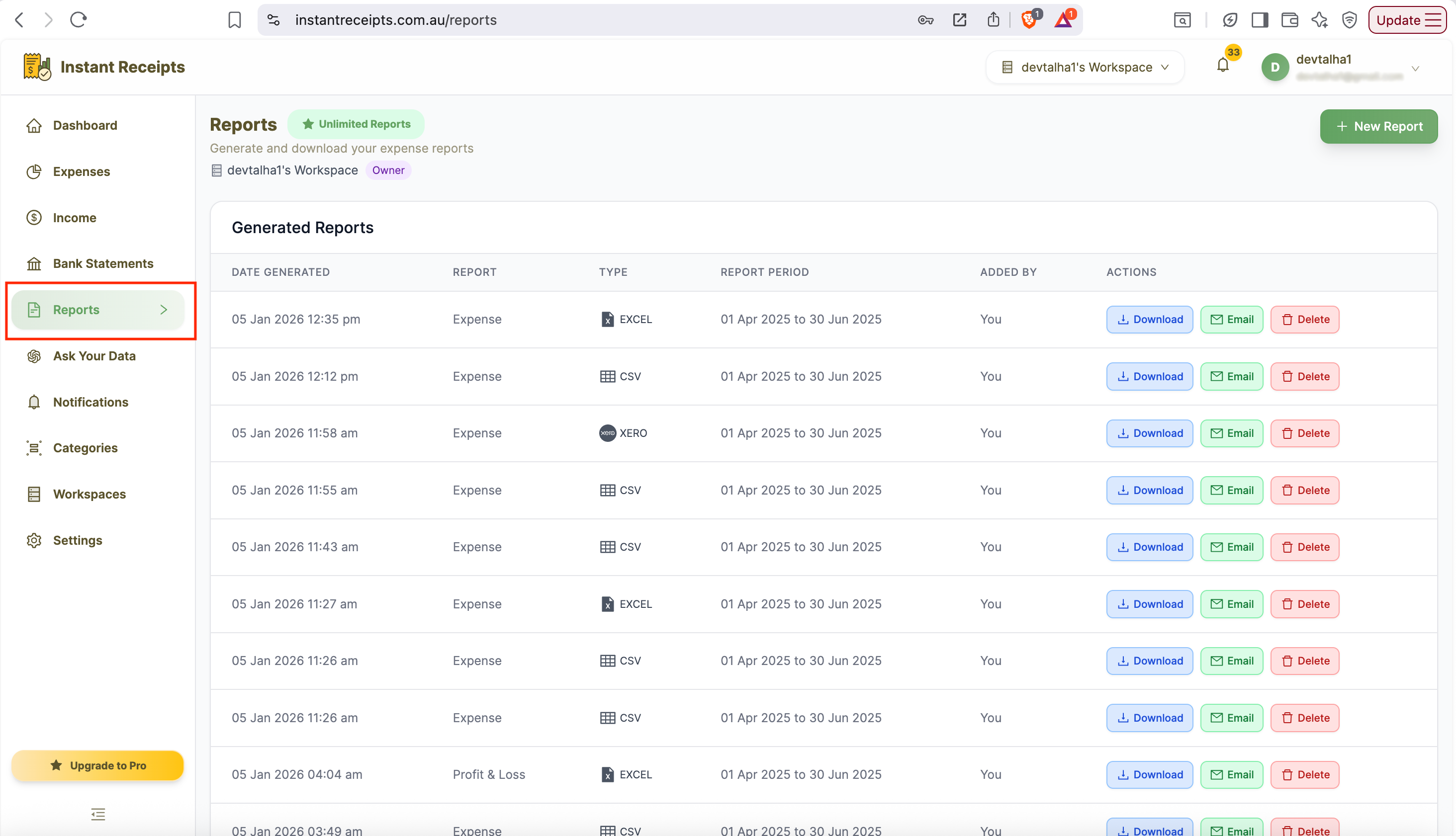
Navigate to Reports
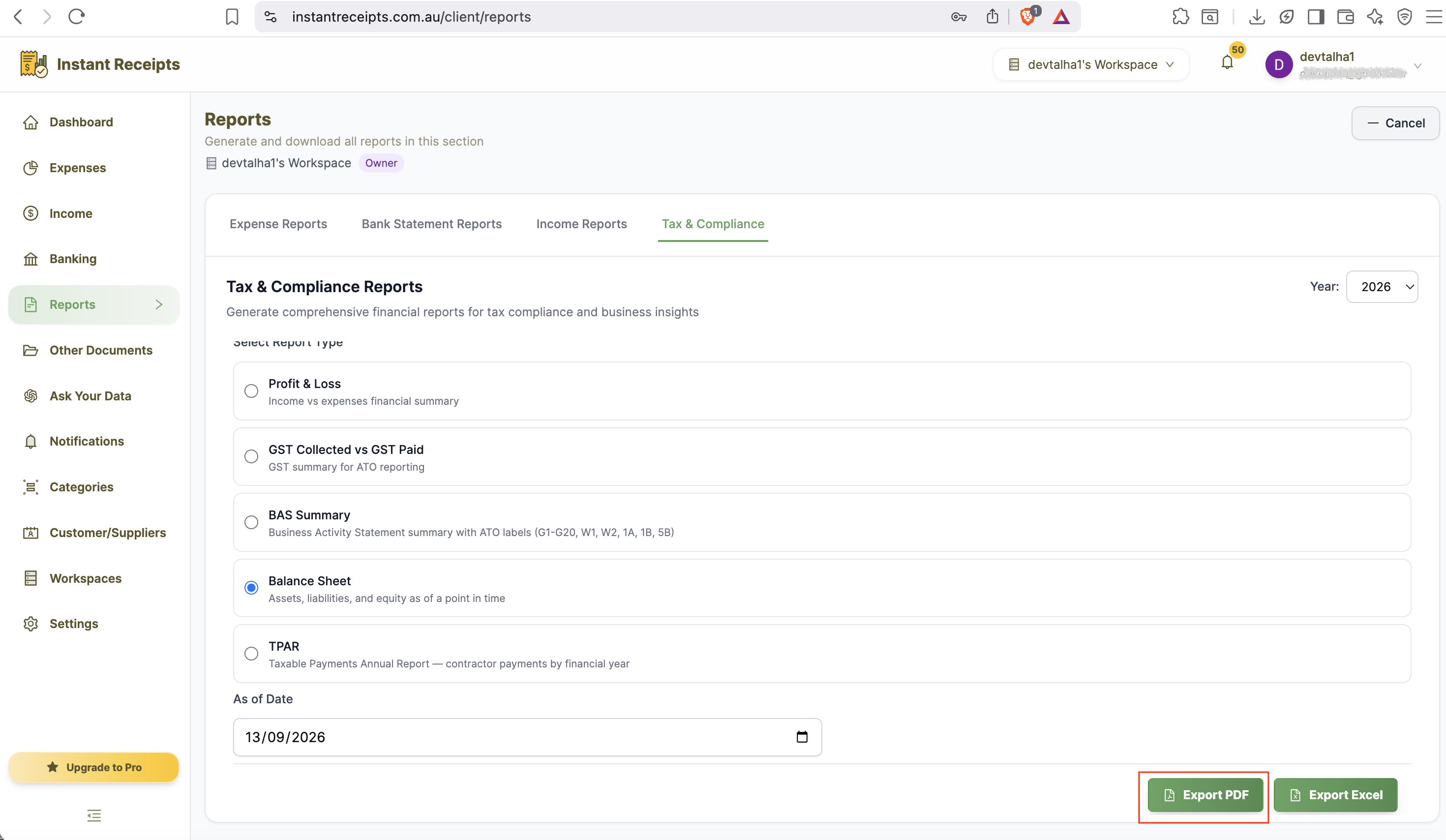
Go to your dashboard, click Reports in the main navigation, then click the Tax & Compliance tab.
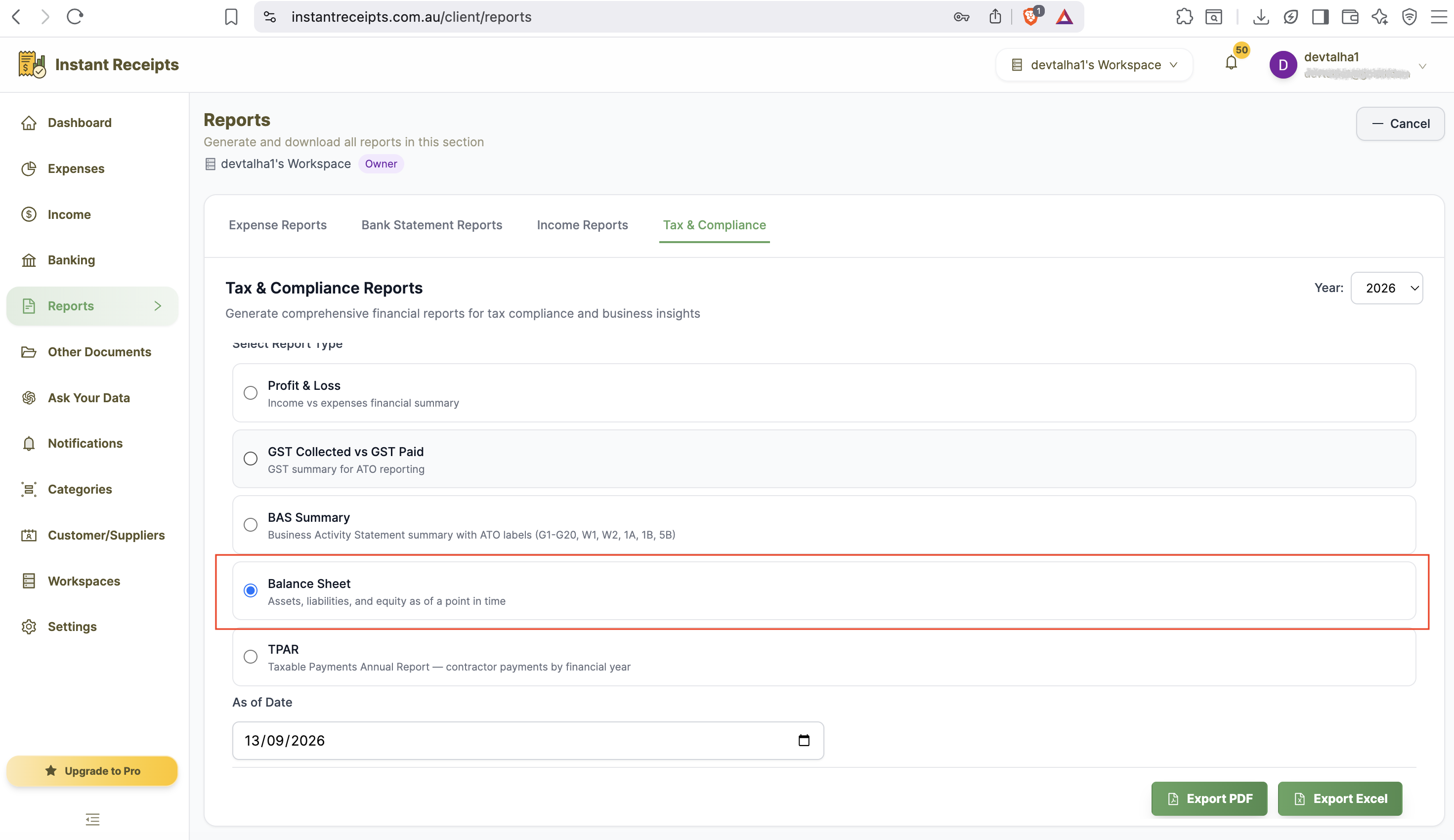
Select Balance Sheet
Select "Balance Sheet" as your report type. Note that this replaces the usual quarter/date-range picker with a single "As of Date" field.
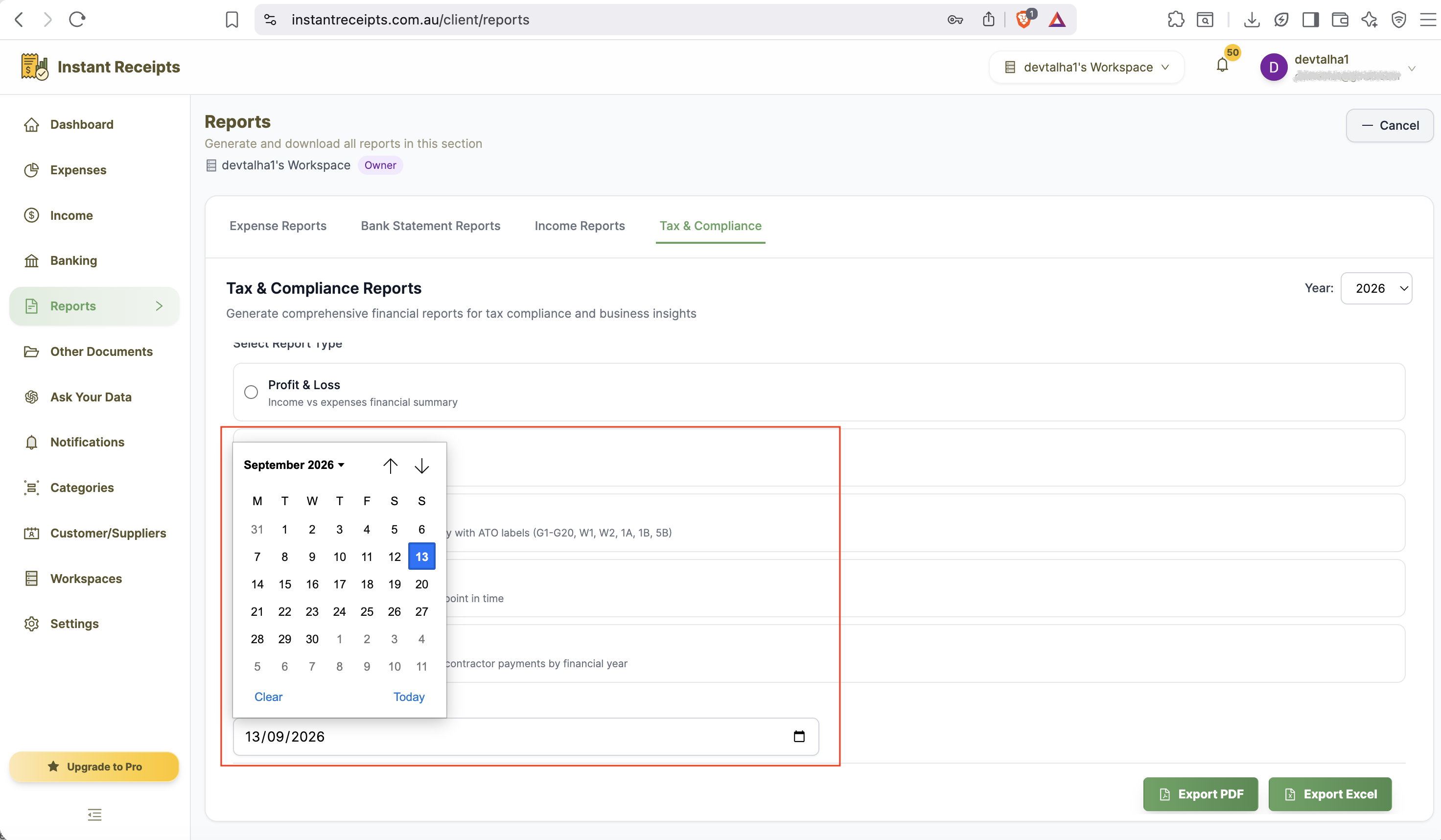
Select an "As of Date"
Enter the date you want your Balance Sheet calculated as of. This is a single point-in-time date, not a range - most people use the end of a financial quarter or year.
Click PDF
Click the PDF button. Generation starts immediately and you will be notified when your report is ready.
Download Your Balance Sheet
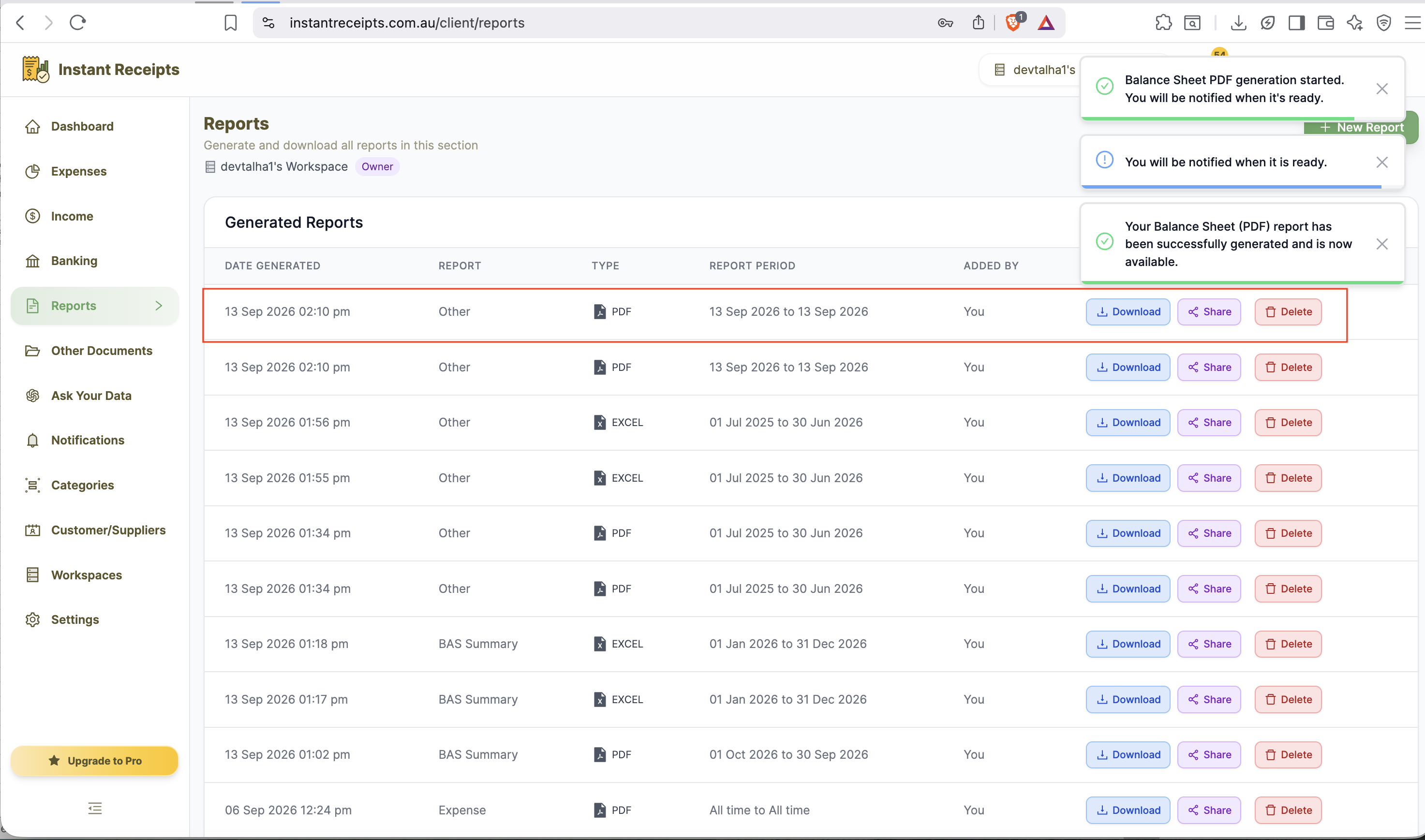
Once ready, download the PDF from the Generated Reports section.
Preview Your Balance Sheet PDF Report
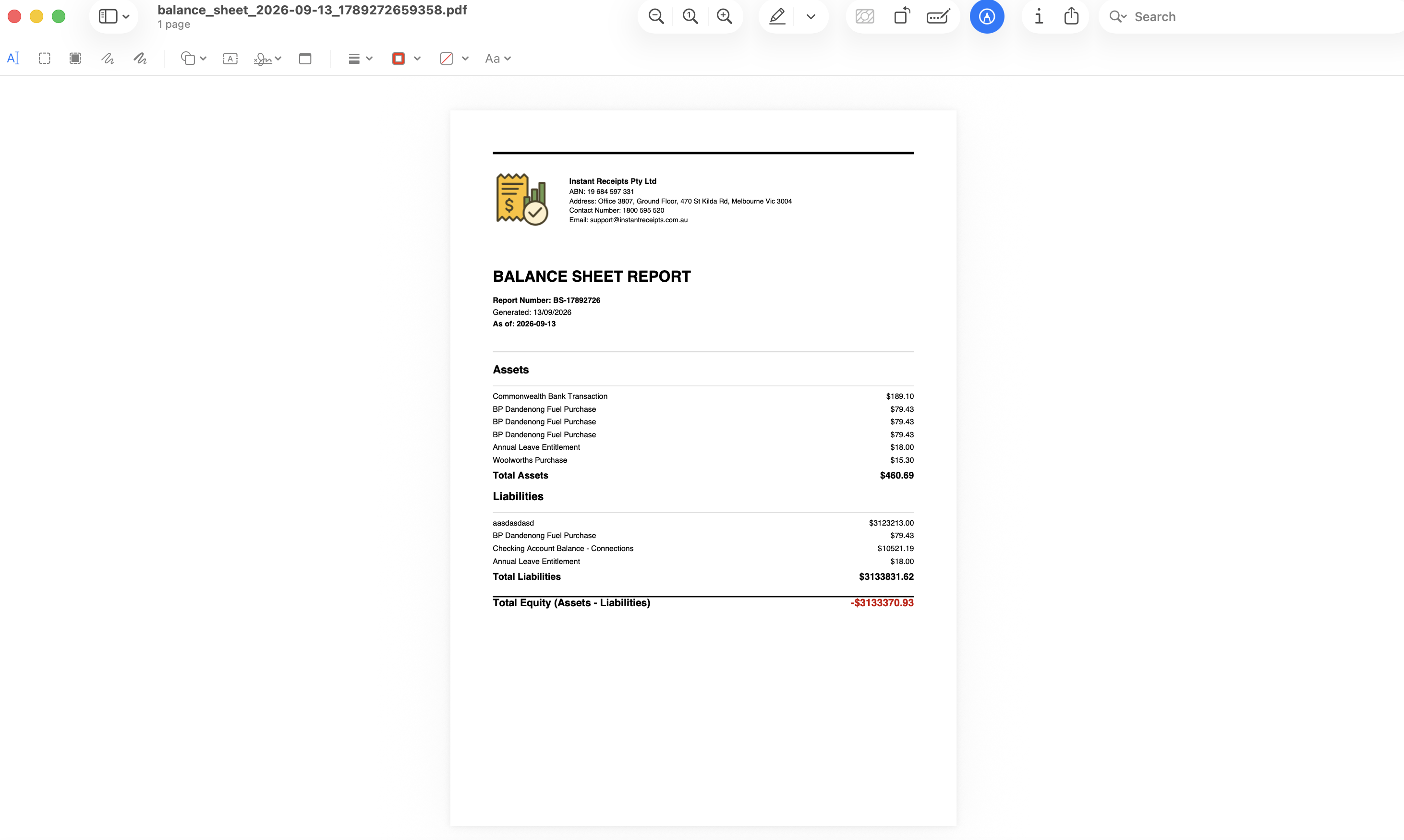
Once downloaded, open the PDF to view your Balance Sheet as of the selected date. Review the breakdown of assets, liabilities, and equity carefully, then share it with your accountant or attach it to your financial records.
Troubleshooting
Please select an as-of date error
Balance Sheet needs a single "As of Date" rather than a start/end range - make sure that field is filled in before generating.
Figures don't match my records
Verify all transactions up to your chosen date are recorded and properly categorised.
PDF won't open
Try downloading again and opening with a standard PDF reader such as Adobe Reader, Preview, or a modern browser.