


Generate TPAR Report as PDF
Prerequisites
- ✓You have recorded contractor payments in the system
- ✓You have access to the Reports page
Outcome
- A readable summary of contractor payments for the financial year
- For review before lodging - see the .TPAR file export for the lodgment-ready file
Steps
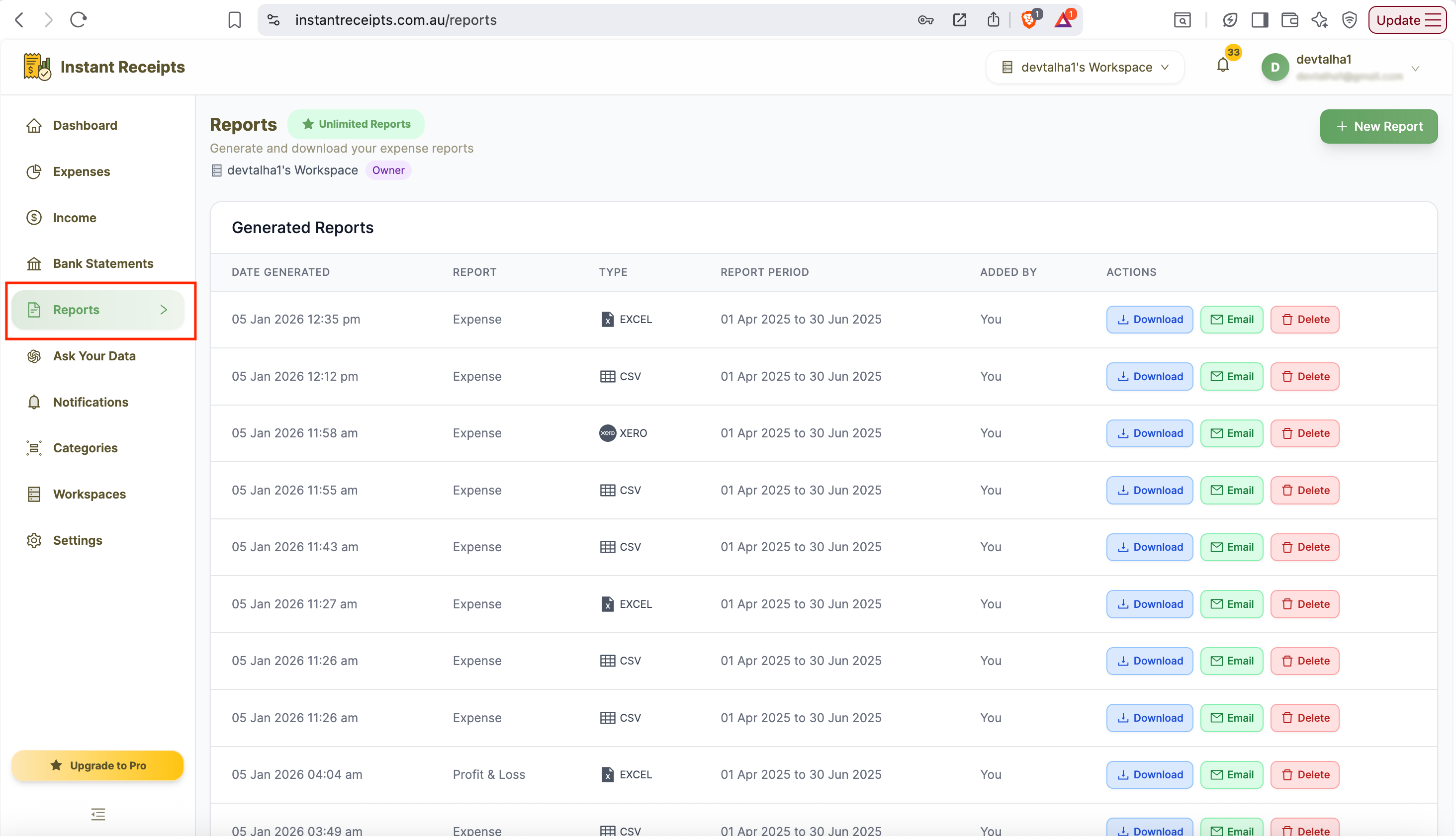
Navigate to Reports
Go to your dashboard, click Reports in the main navigation, then click the Tax & Compliance tab.
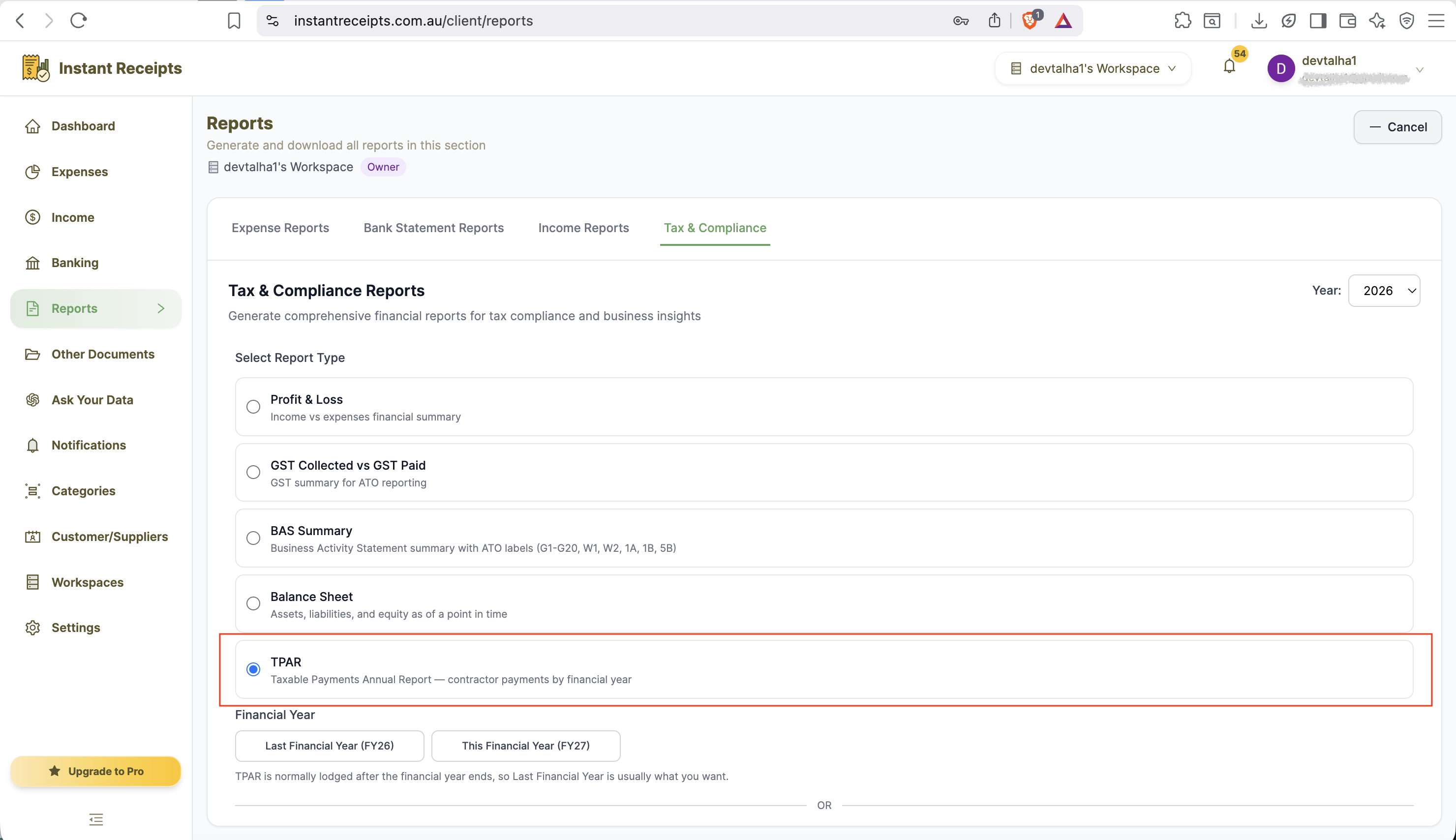
Select TPAR
Select "TPAR" as your report type. TPAR is normally lodged after the financial year ends, so this section uses a financial-year picker instead of the usual quarter buttons.
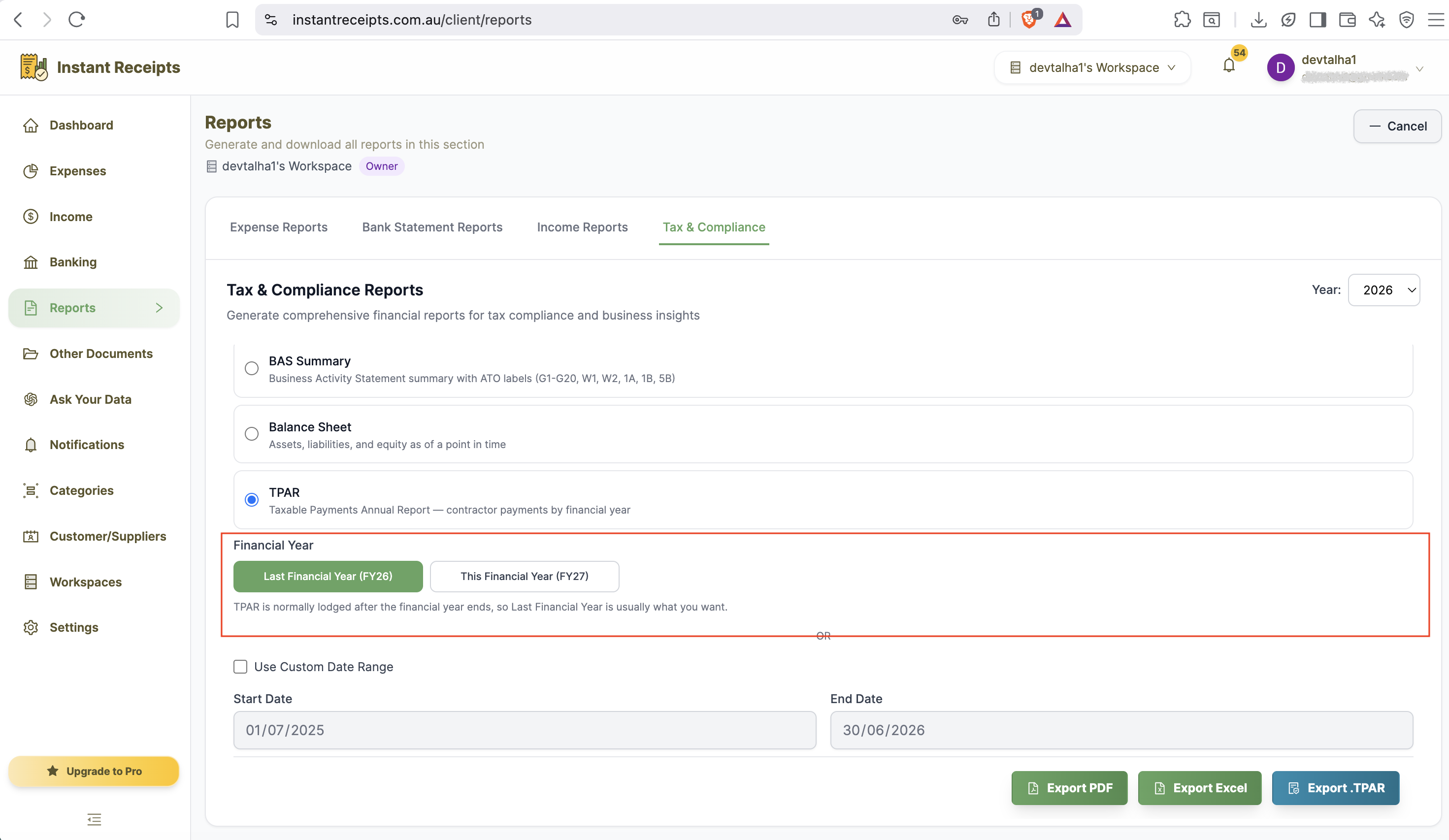
Select the Financial Year
Choose the financial year to report on. Since TPAR is usually lodged after year end, Last Financial Year is normally what you want.
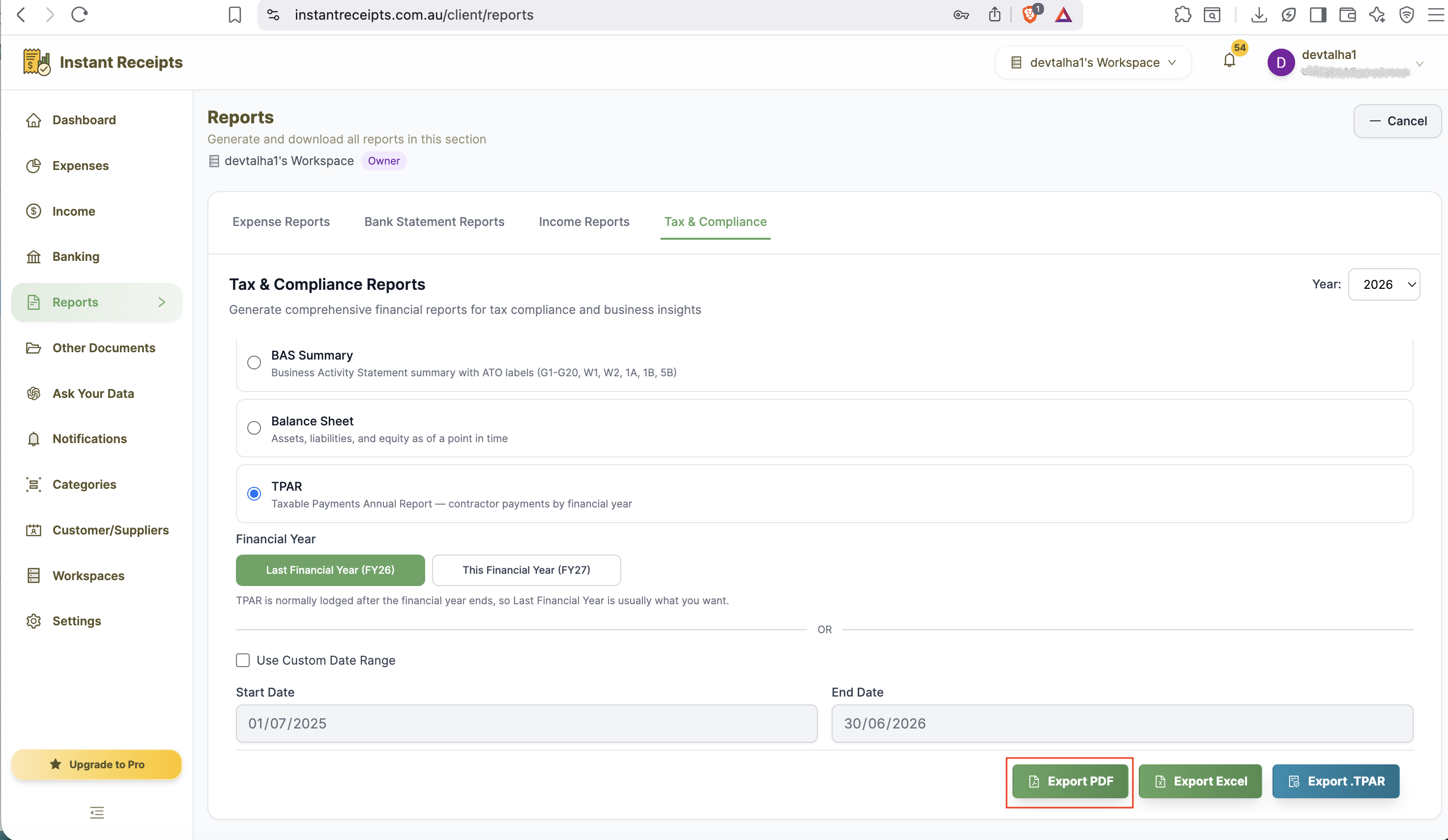
Click PDF
Click the PDF button to generate a readable summary of contractor payments for the selected period.
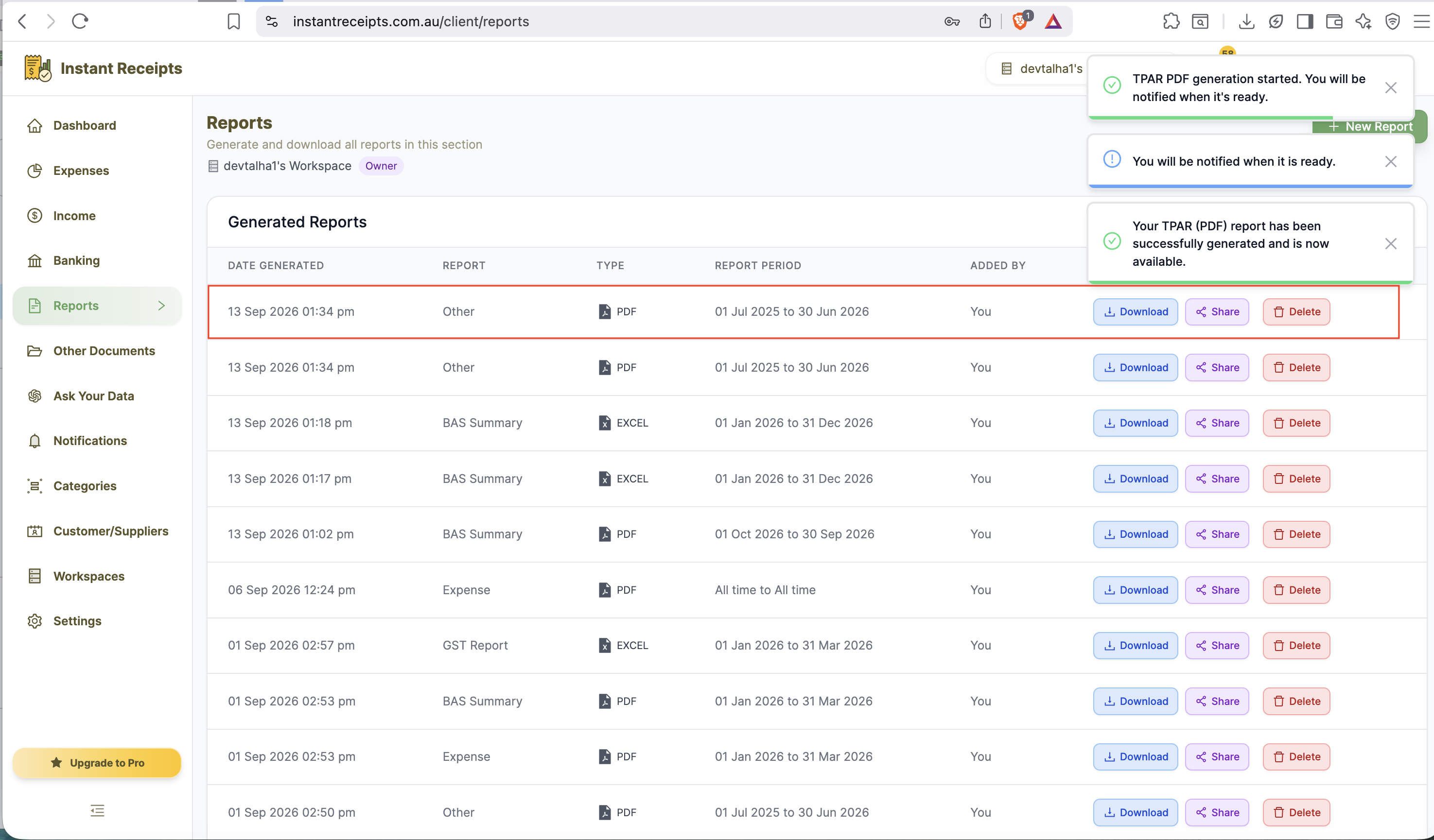
Download Your TPAR Summary
Once ready, download the PDF from the Generated Reports section.
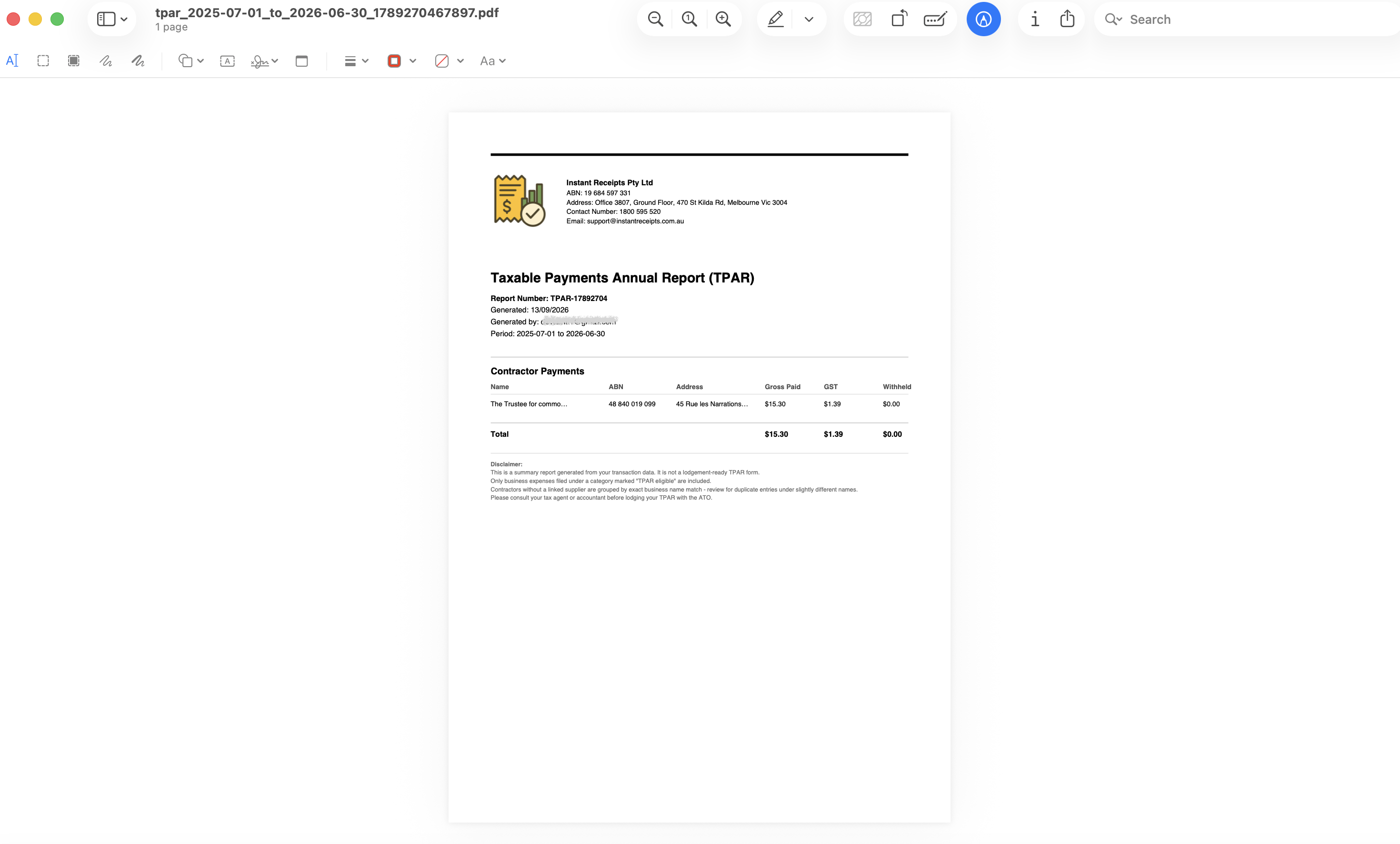
Preview Your TPAR PDF Report
Once downloaded, open the PDF to review the summarised contractor payments for the selected financial year. Remember this PDF is a human-readable summary for your own records only - when you're ready to actually lodge with the ATO, use the separate "Export .TPAR" button to generate the fixed-width lodgment file instead.
Troubleshooting
Please select a date range error
Pick Last Financial Year, This Financial Year, or a custom date range before generating.
I need to actually lodge with the ATO, not just a summary
This PDF is a human-readable summary only. Use the separate "Export .TPAR" button on the same tab to get the fixed-width lodgment file the ATO accepts.
Contractor payments are missing
Verify the payments are recorded in the system and dated within the financial year you selected.