
Export Bank Statements as ZIP
Prerequisites
- ✓You have uploaded your bank statement in the Banking section
- ✓You have access to the Reports page
Outcome
- Ideal for long-term storage and record keeping
- Keep a full, organized backup of your financial data
Steps
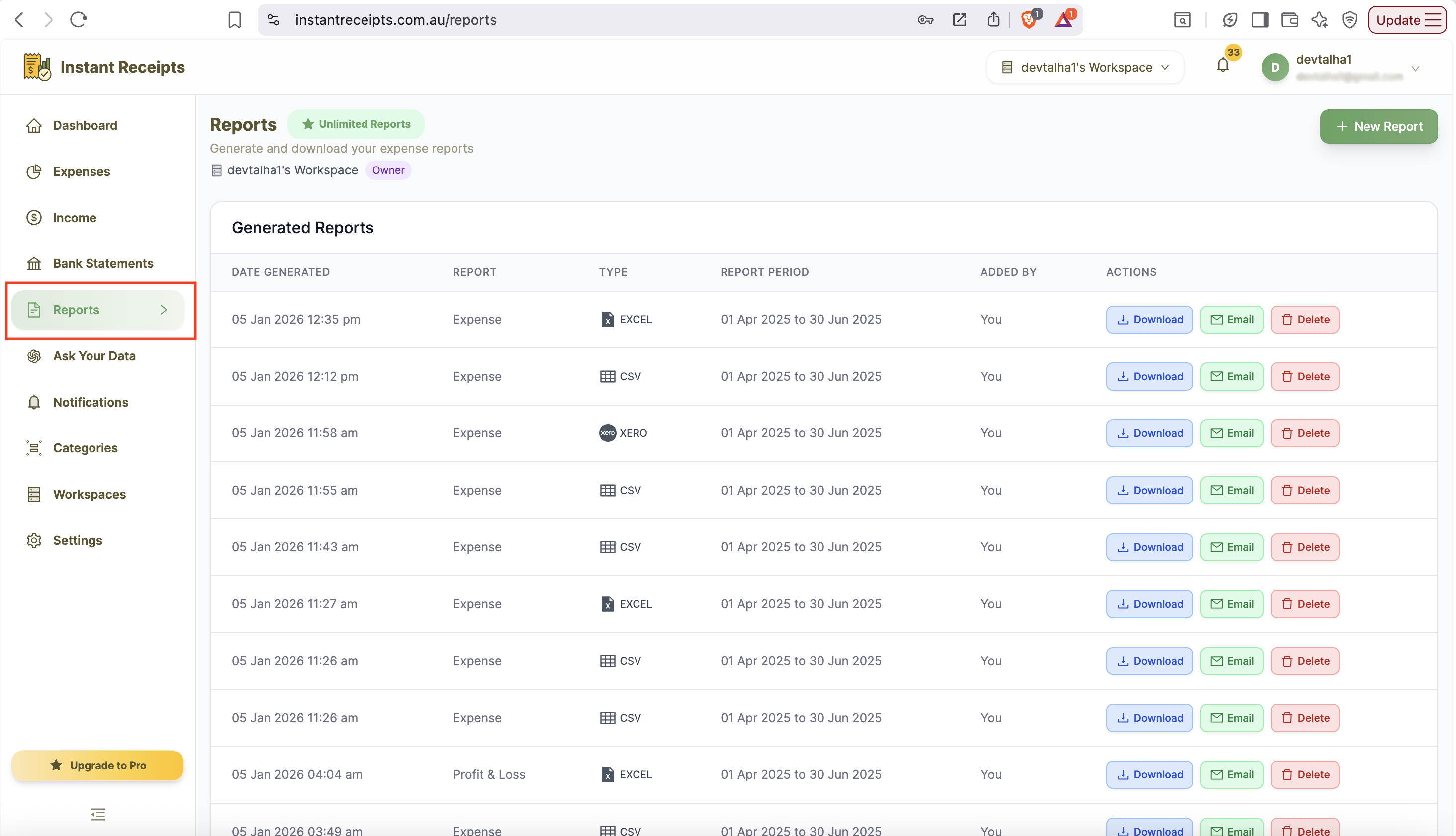
After login, click on Reports in the side bar menu
After login on your dashboard click on the Reports section in the side menu.
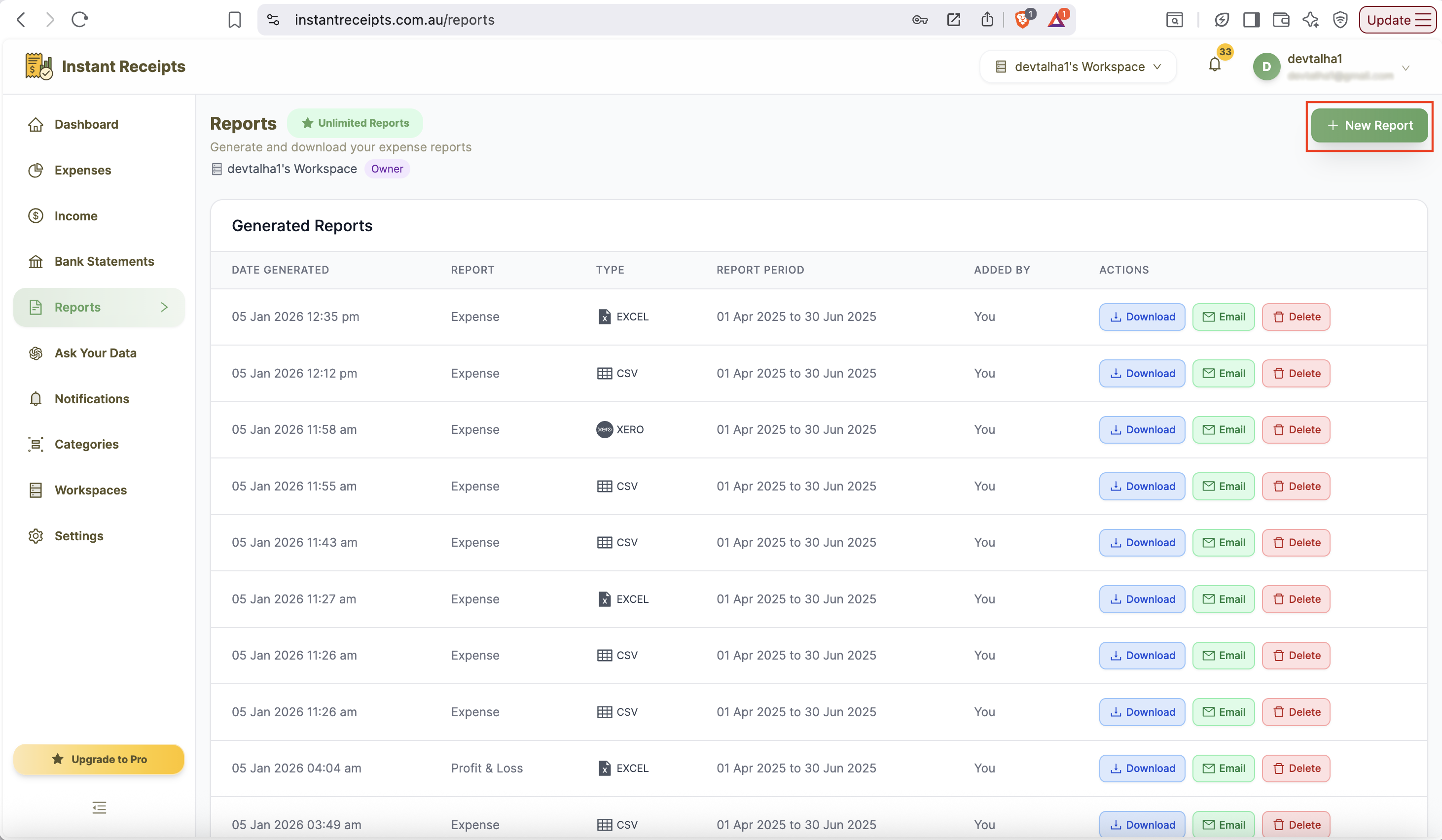
Click on New Report button
In the top-right corner, click the New Report button to start creating a new bank statement report. The generation section will appear automatically.
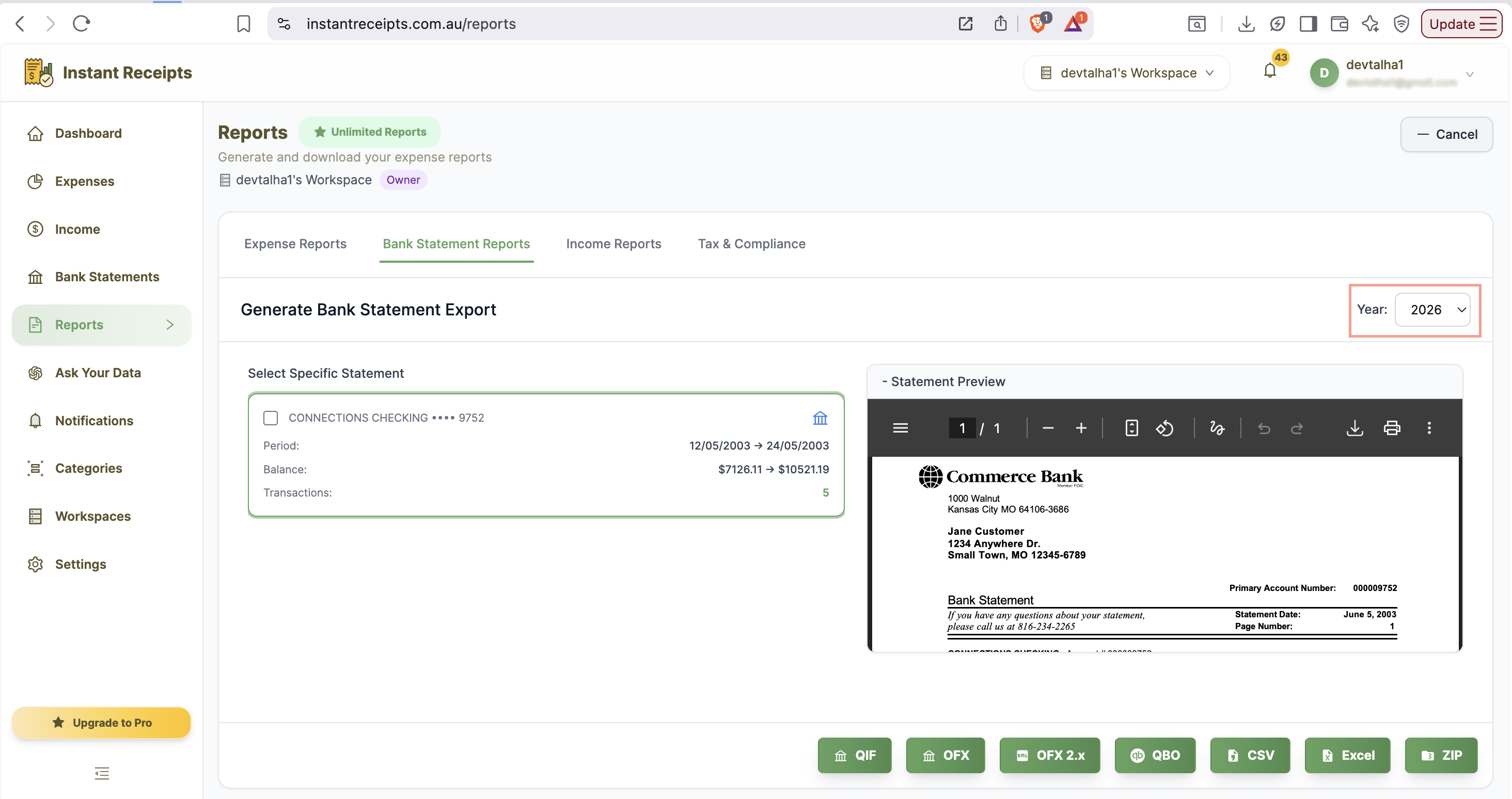
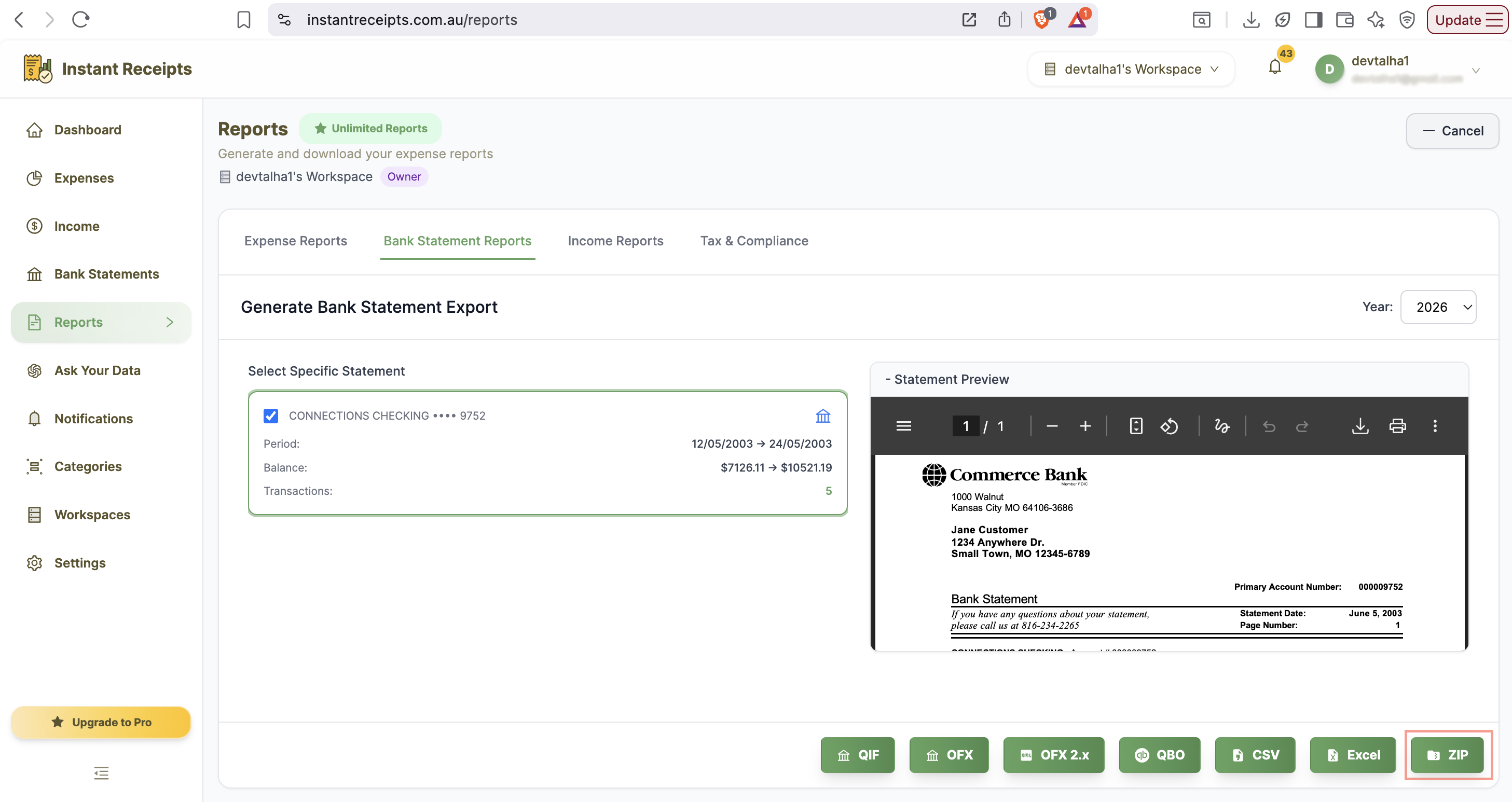
Select the filter to see your bank statements based on the year selector
Click on year filter button your bank statements will automatically appear.
You need to select bank account (mandatory)
Filter statements by specific year (Optional).
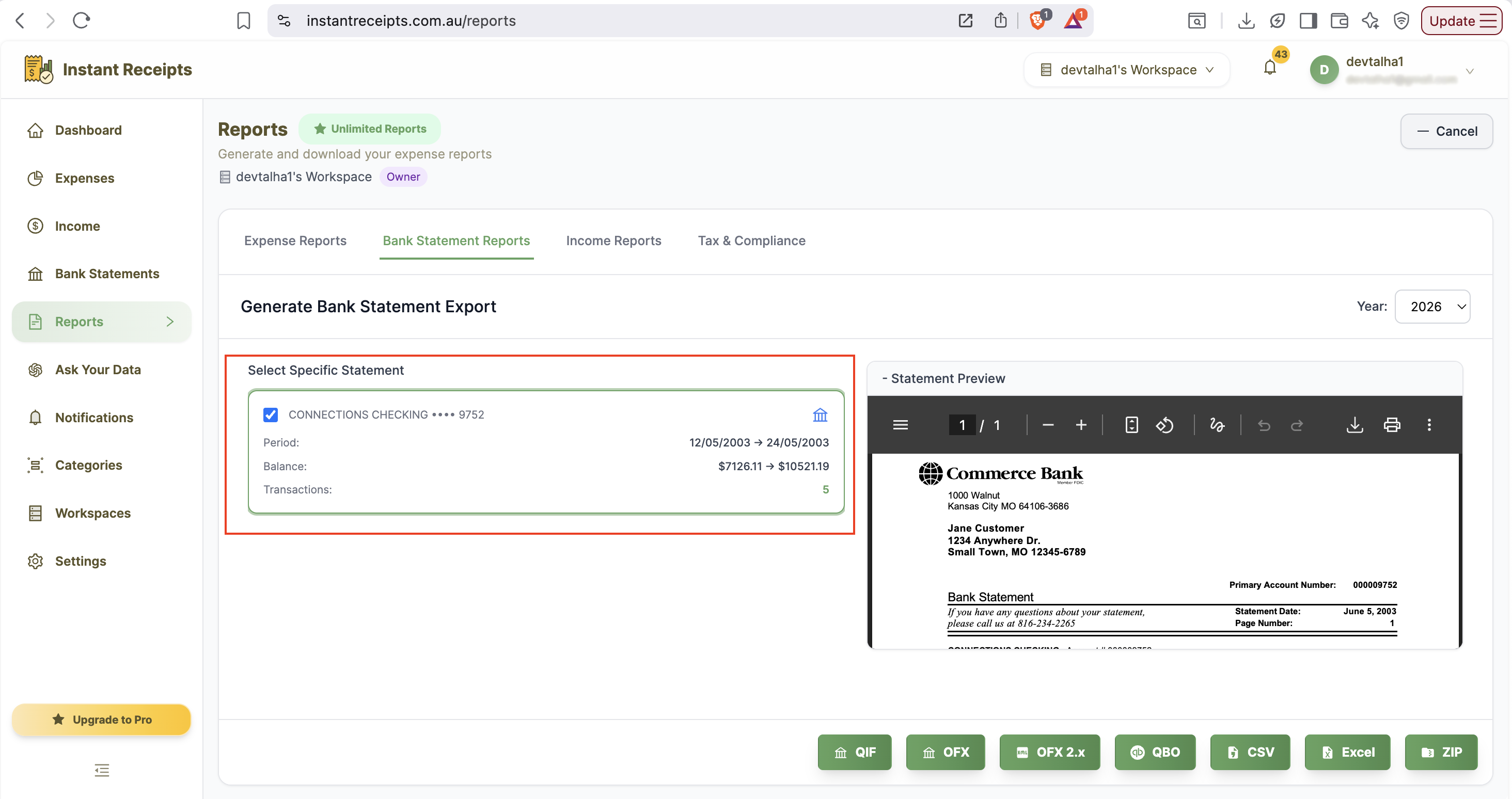
Now click on ZIP Button
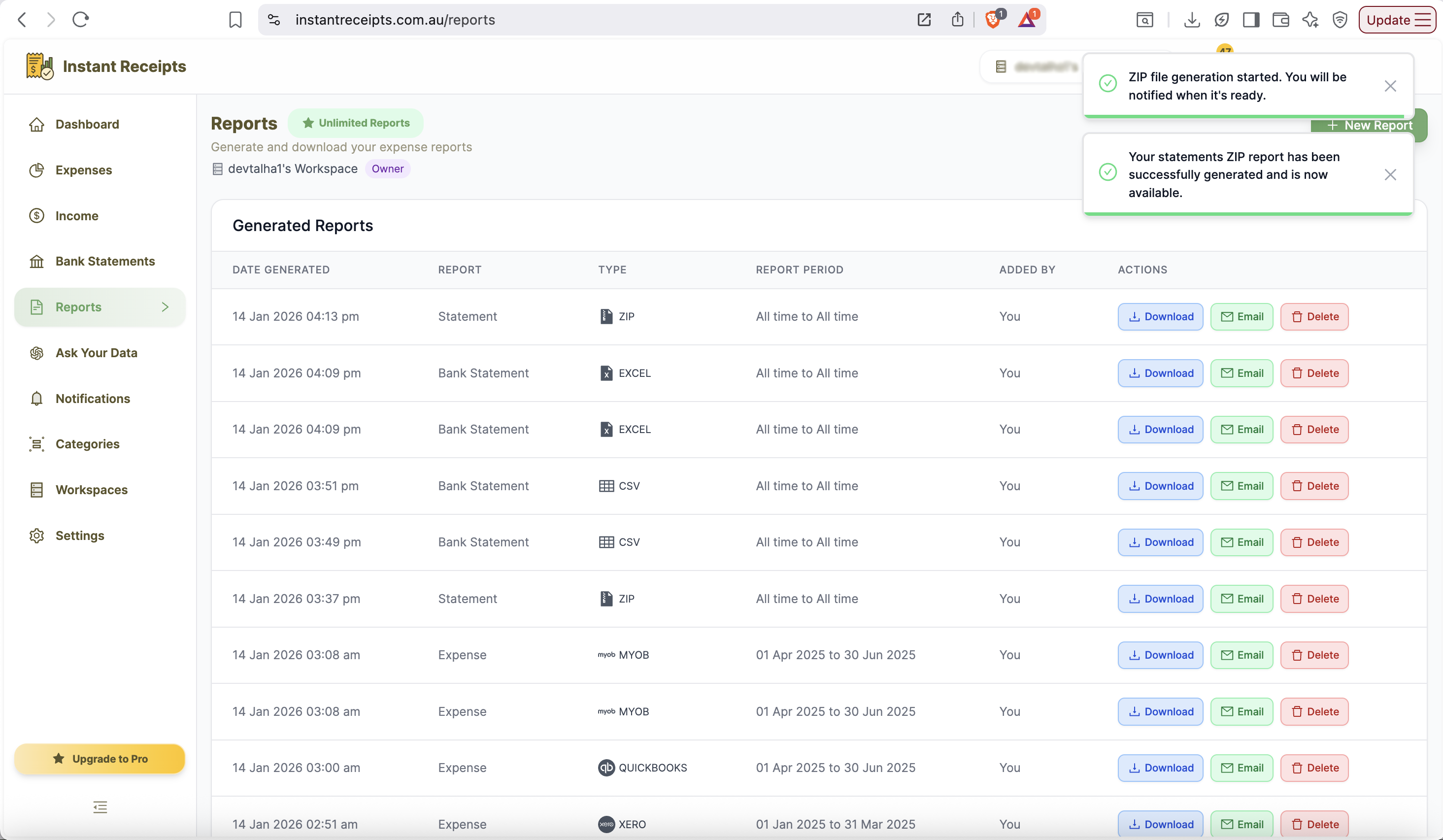
Your generated zip file will be appeared top of the list.
Now you can download it or share it with others.
Once the file is generated you will see it first in the list, Now you can download it or share it with others you your team.
Troubleshooting
ZIP file is too large
Try narrowing your date range or filtering by account to reduce the file size.
File won't download
Check your browser's download settings. Try a different browser. Ensure pop-ups aren't blocked.
Can't extract ZIP file
Use a standard ZIP extraction tool. On Windows, right-click and select 'Extract All'. On Mac, double-click the file.
Need more details?
See How to Import Bank Statements for the complete workflow and all available options.