
How to Import Bank Statements
Outcome
- Upload PDF files and extract transactions automatically
- Capture all transaction details without manual entry.
- No more manual data entry from bank statements.
Steps
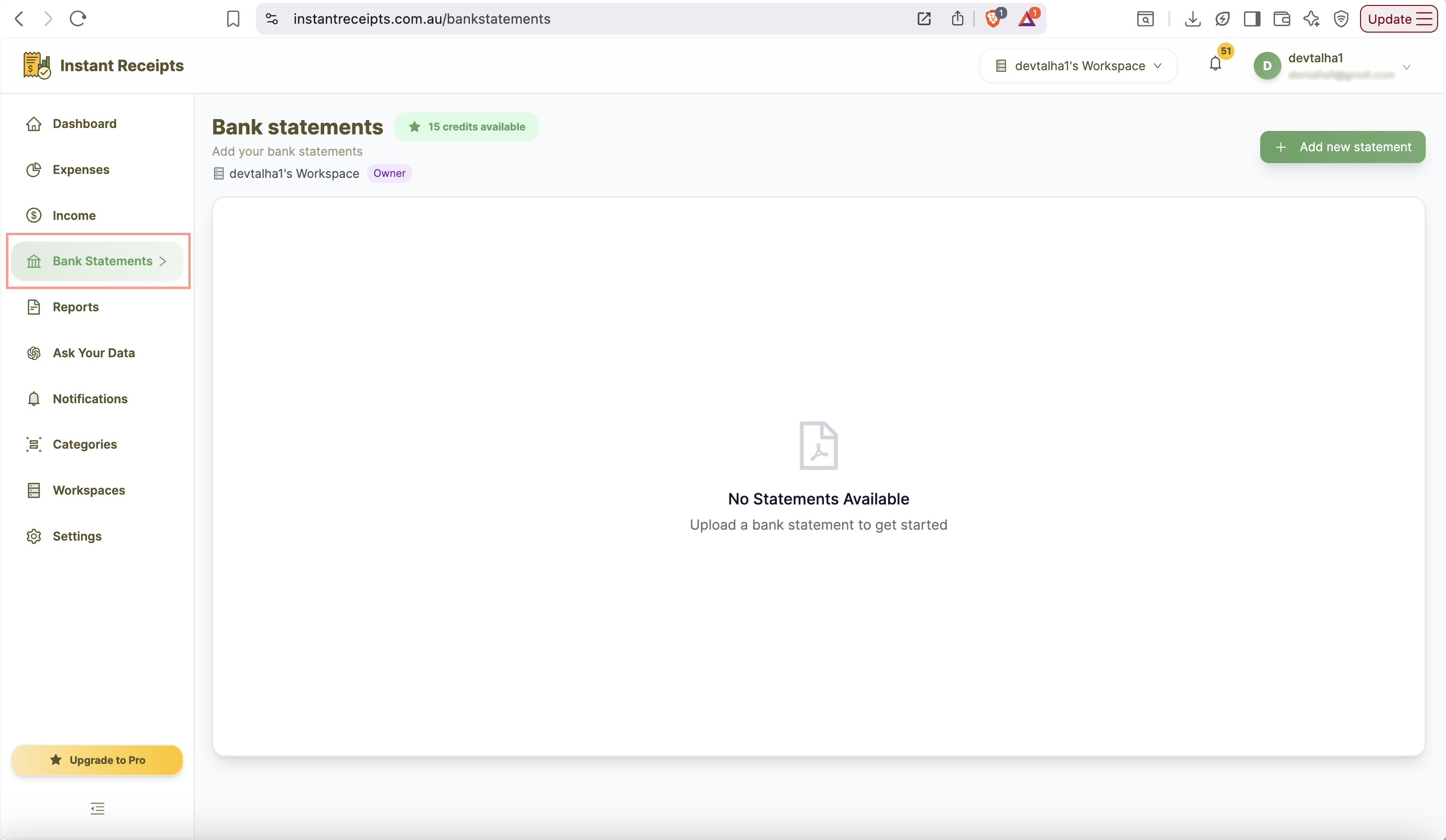
Navigate to Bank Statements
You can start by navigating to your instant receipt dashboard. On dashboard you will see a sidebar. Find the Banking option there and click on it. Stay on the PDF Statements tab.
Add Statement
After clicking on the bank statement, a new panel will appear. On the top right side, you will find a button to "Add Statement". Click on it to import the statement.
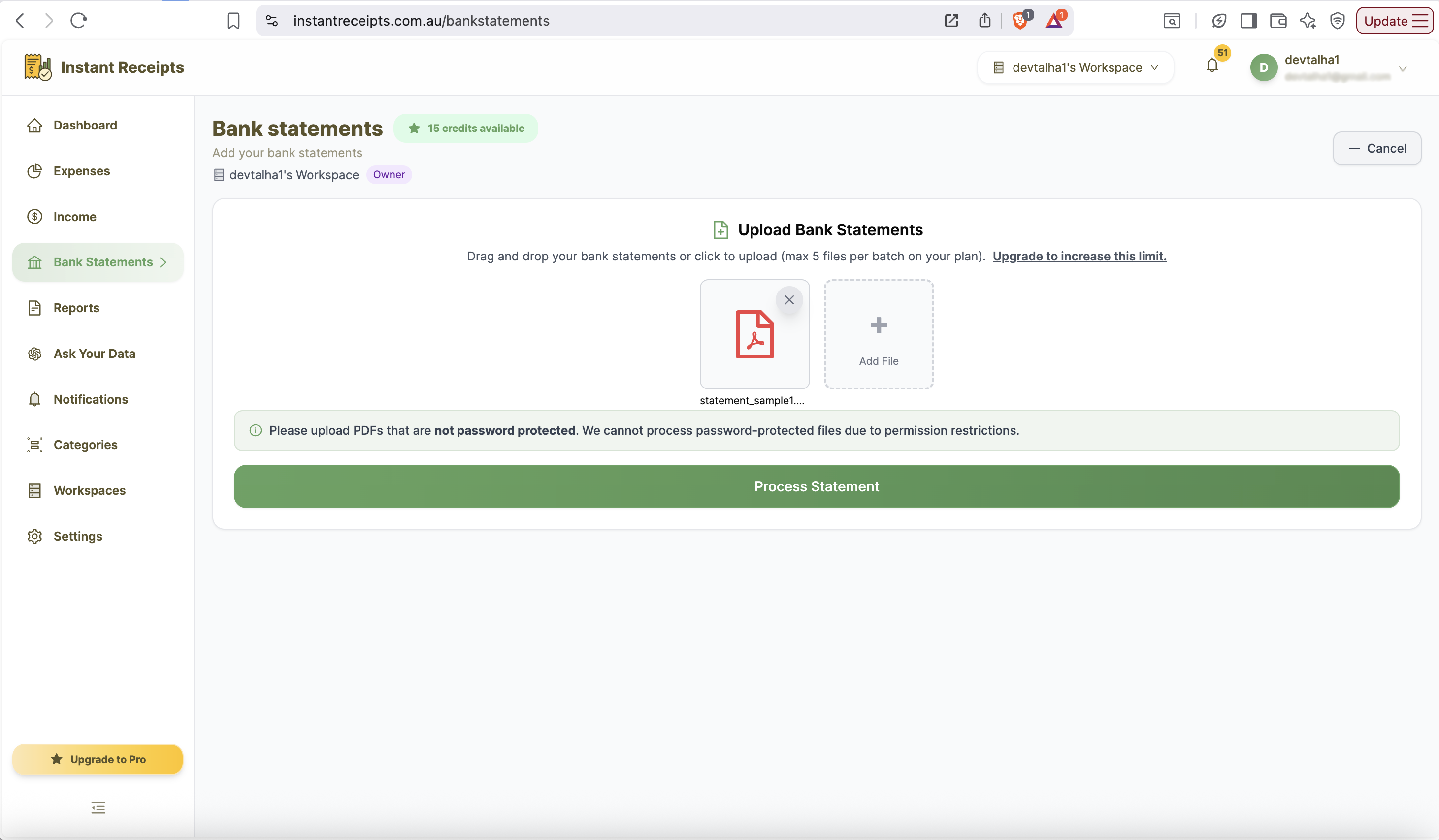
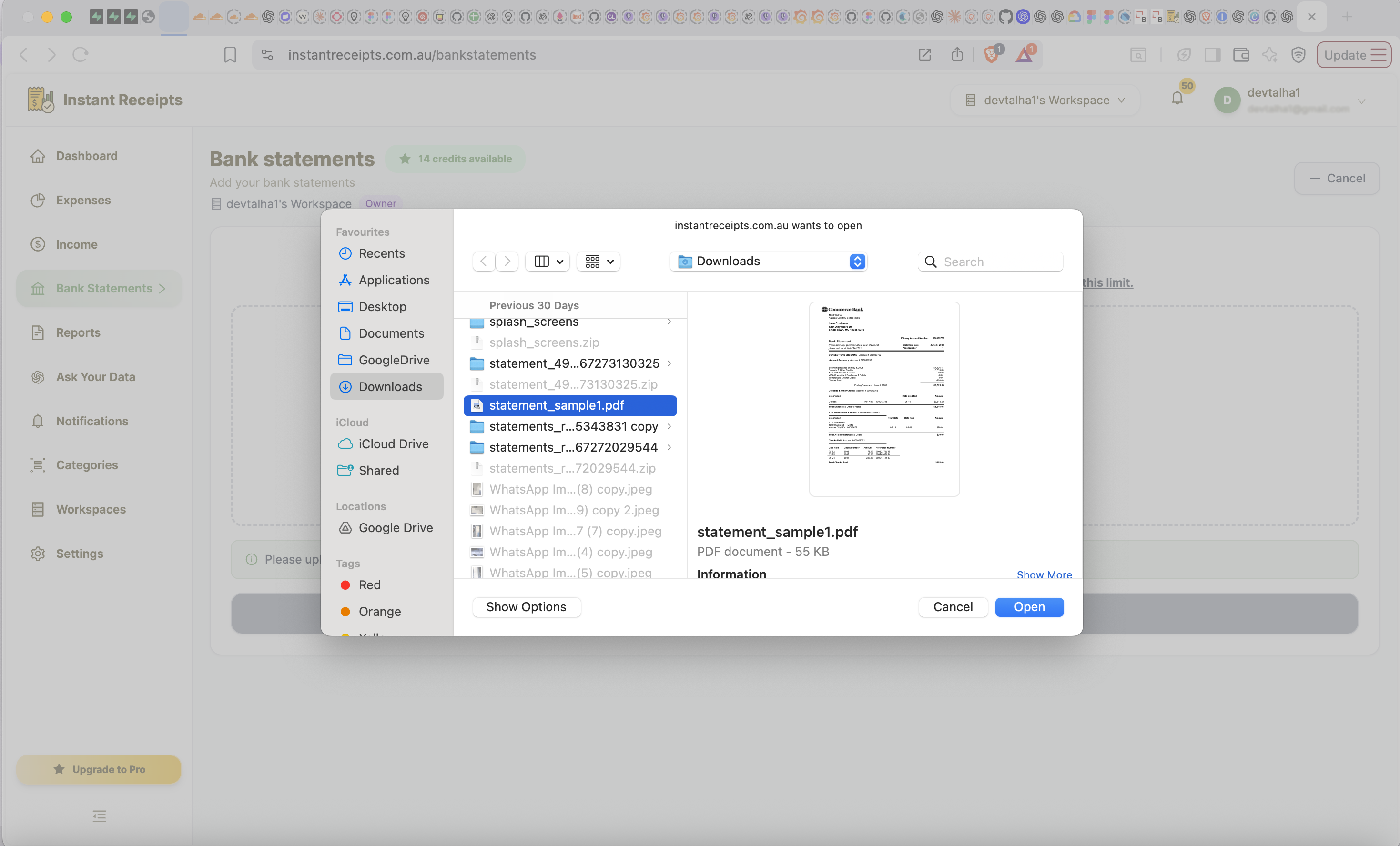
Select Your PDF File
After clicking on the "Add Statement", a new panel will appear where you can upload the pdf files that contain your back statements.
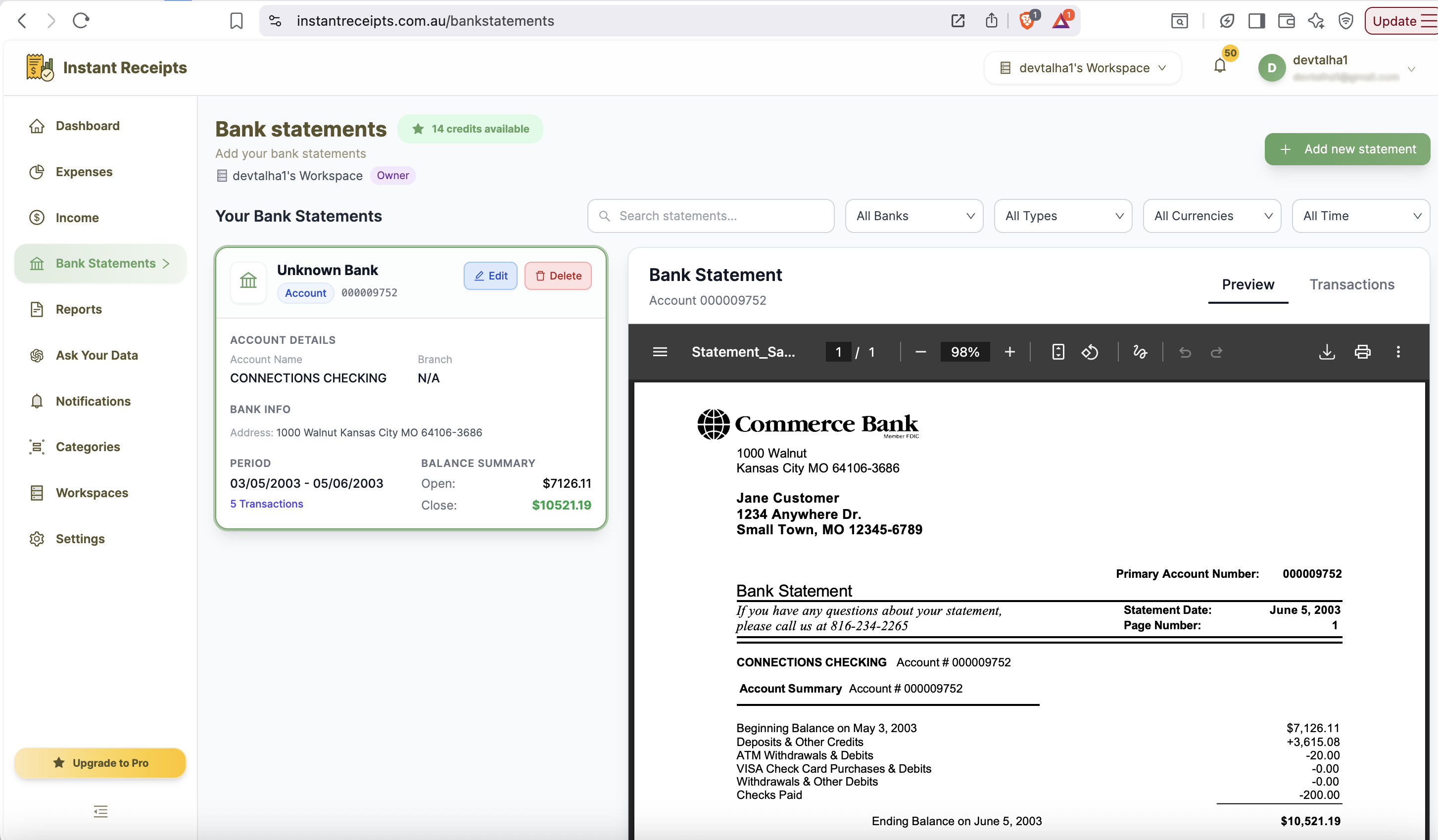
Review Extracted Data
After uploading click on the "Process statement" and your data will be extracted. A preview will appear where you can cross-check the data extracted from your bank statement. After previewing, you can save it.
Need more details?
See How to Export Bank Statements for the complete workflow and all available options.